

New Feature
Bulk edit products, vouchers and community members

- Products and add-ons: change the group, assign Services, change the VAT rate, translate with anny AI, feature or unfeature, delete
- Vouchers: change the expiration date, add or remove restrictions, edit tags, export, delete
- Community members and open invites: remove members, resend invites, delete invites
- Skips records an action does not apply to and tells you which ones and why
- Uses the same permissions and checks as the single actions
Improvements
Booking codes, quotas and add-ons work together

- Opens the unified booking creator from the booking codes page
- Lets you set a custom expiration date per booking code when you sell it
- Lets you mark the invoice as paid for payments made outside anny, for example cash or bank transfer
- Lets quantity quotas and budget quotas include add-ons
- Checks the add-on restrictions of a quota when you save it
- Lets hour quotas cover Services that are set up in minutes
Improvements
Smaller improvements in October

- Users with the Reception role can open the new anny Admin and save their own private views
- Resource maps can be tagged and filtered by tag in the maps list
- All PDFs, including invoices, tickets and quotes, show Chinese, Japanese and Korean text correctly
- The anny Agent searches the help center and its guides by meaning, so it finds the right article even when you use different words than the article does
- The organization domain field accepts a full URL and shows errors right at the field
New Feature
Inquiries that grow your community

- Adds the sender to the community linked to the inquiry type: logged-in customers join right away, everyone else gets a silent invite
- Checks the first email of every inquiry for spam
- Discards spam bot submissions of inquiry forms automatically
- Lets you add your own questions to inquiry forms on every plan
- Offers every inquiry form on your organization’s booking website (since Oct 9)
Improvements
Custom fields on the customer profile

- Adds a new Forms settings page to manage your custom forms in one place
- Shows custom fields and calculated customer fields directly in the customer profile
- Lets you add missing details right on the record
- Syncs form answers with HubSpot, mapped like any other field
New Feature
Bulk edit invoices, services and bookings

- Invoices: mark as paid, change the recipient, send, cancel, delete drafts, download as PDF or e-invoice XML, export
- Services: change the group, tags, Resources and cancellation policy, archive or restore, convert, delete
- Bookings: edit custom fields for many bookings at once
- Customers: invite many customers to a community at once
- Offers only the actions that are also available on the single record
New Feature
Connect your own OpenID Connect provider

- Connects any OpenID Connect provider, for example Entra ID, Okta, Keycloak or Auth0
- Reads all endpoints from the provider’s issuer URL automatically
- Can reject logins whose email address the provider reports as unverified
- Maps attributes from your identity provider onto customer custom fields
- Supports key rollover so logins keep working when your provider rotates its keys
New Feature
Merge orders and cancel long series in the background

- Merges an order into another one: all bookings, products and passes move to the target order
- Keeps the target order’s customer, voucher and details
- Works for orders without an issued invoice and without a payment
- Cancels many dates of a booking series in the background, with live progress
- Opens the correction draft of the series after you cancel dates
- Links additional Resources to their sub-bookings and back
New Feature
Choose what bookings show in the calendar

- Lets you pick and order the fields an entry shows, for example customer name, Service, Resources, time, occupancy or notes
- Uses the topmost field with a value as the headline and shows the others as lines below
- Works per entry type: single bookings, shared slots, orders, timeslots and blockers
- Shows a live preview for the day, week, month and all-day row
Improvements
Views save themselves

- Saves every change to a view (filters, columns, sorting) automatically, for all views
- Lets you reorder dashboard widgets by drag and drop
- Lets you pick a preferred employee when you book “any resource” in the booking creator
- Shows open invites first and opens invite links in the same place as open invites
Improvements
anny Agent shows its work as cards and tables

- Shows each change that needs your approval as a clear card
- Shows the records it talks about as cards with their key details
- Shows lists, tables and maps directly in the chat
- Opens the record when you click a row
New Feature
Sync customers and bookings with HubSpot

- Syncs customers with HubSpot contacts and business customers with HubSpot companies
- Syncs bookings with HubSpot deals
- Works in both directions
- Lets you map fields yourself
- Creates notes or tasks in HubSpot for bookings automatically
Improvements
Vouchers with start dates and booking periods

- Adds a start date to vouchers
- Limits a voucher to bookings within a booking period
- Filters vouchers by validity and booking period
- Organizes the voucher form into clear sections
- Includes the new date limits in voucher import and export
New Feature
Parking access by licence plate with Arivo

- Creates an access permission in Arivo for each parking booking
- Names the permission after the licence plate, so it is easy to find
- Updates the permission when the licence plate or the booking changes
Improvements
A faster counter console for queues

- Rebuilds the queues list and the queue detail page
- Adds a new counter console to call, park and recall customers
- Shows clear empty states for queues, counters and rules
- Lets ⌘K find booking codes, plans, products and other catalog records
New Feature
Introducing anny 3.0 and the anny Agent

- anny Agent: open it with ⌘L and say what you need. It sets up and changes Resources, Services, prices, opening hours and booking pages, shows a plan first and asks before every change. It runs on our own model, anny AI v1, hosted in the EU, and is free during the beta.
- ⌘K search: jump to any record or action from anywhere.
- Saved views: tabs with their own filters, columns and sorting for every table, private or shared with your team.
- Bulk editing: select many rows and change status, tags or properties, or delete them in one step.
- Inline editing and tags: change values right in the table, show every resource property as a column, and tag customers, bookings and orders across your organization.
- Peeks and live data: records open at the side without leaving the list, and lists update in real time when a colleague changes something.
- New dashboard: a home page with about 40 widgets, from occupancy and revenue to MRR, cash flow forecast and heatmaps.
- One cart, one order: bookings, products and packages in one checkout, products also on their own with a product page in the shop and in communities. Orders can be edited later with a price preview.
- Activity timeline: one history per booking, order and customer with changes, emails in and out, SMS, AI calls, access events and notes.
- Email composer: write to customers from the booking or order, and their reply lands on the same record. Automatic replies such as out-of-office messages stay on the record without changing the status or notifying your team.
- Team notes and tasks: internal notes with mentions, assignee, due date, replies and reactions.
- Inquiries and quotes: embeddable inquiry forms, an inquiry inbox that moves itself forward, and PDF quotes that customers sign online.
- Queues 2.0, displays and more: quick call for walk-ins, room signs and check-in terminals, card readers with a hardware shop, a document template editor, 11 booking widget themes, multi-organization management, a rebuilt user management, and no-show marking with attendance right in the booking.
New Feature
Register visitors directly in the Outlook Add-In

- Lets you create a visitor registration for meeting participants directly in the Outlook Add-In
- Works with or without a room booking, including participant-only visitor registration flows
- Uses resources from the
visitor-registrationscategory to control the visitor registration behavior - Shows a user badge icon next to participants when a matching
visitor-registrationsresource is used - Makes it clearer which participants are linked to a visitor registration
visitor-registrations resource in the Outlook Add-In, and the guest is registered immediately and clearly marked with the user badge icon.New Featureanny app
Collect forms and documents later at check-in

- Lets you decide in anny Admin whether Custom Forms and Legal Documents are requested during booking or later in the flow
- Shows missing forms, details, and signatures during Check-in when you choose the later collection point
- Displays the same forms and documents at Check-out as well, although they are not mandatory there yet
- Works across anny Admin, the booking flow, and the anny Check-In App
- Requires the latest version of the anny Check-In App for this beta feature
New Feature
Offer bookings directly on your WordPress site

- Lets you connect WordPress to anny with a login, choose the
anny.cooranny.eudata region, and select your organization - Adds 20 Gutenberg blocks for full booking pages, calendars, maps, compact panels, buttons, My Bookings, login, and cart experiences
- Lets you choose a Resource, Service, Subscription, or Package from a searchable list for each block
- Shows a live preview of the real booking widget directly in the WordPress editor before you publish
- Lets you import your brand from anny or adjust colors and shapes site-wide or per block
- Keeps prices, opening hours, and availability managed in anny and updated on your website without republishing
New Feature
Group booking bundles for a clearer catalog

- Lets you create booking bundle groups with a name, optional description, and display order
- Lets you assign a bundle to a group directly in the bundle form, or create a new group from the same selection
- Shows booking bundles in grouped panels in anny Admin, with a separate section for ungrouped bundles
- Displays only groups with at least one live bundle in the public catalog, while ungrouped bundles stay visible in their own section
- Keeps bundles intact if a group is deleted by moving them back to the ungrouped section
Improvements
Discount codes redeemable once per customer

- Adds a new rule in the discount code setup: “Redeemable once per customer”
- Checks at checkout whether the customer has already redeemed the code before
- Blocks the code from being applied again if it was used previously by the same customer
- Works for both newly created and edited discount codes
New Feature
Treatwell Sync: Email Import and Calendar Sync

- Imports Treatwell bookings into anny through forwarding booking emails to a dedicated anny inbox
- Updates existing bookings when changes come in, and processes cancellations automatically
- Prevents duplicates during repeated emails or resend scenarios
- Matches prepaid information when Treatwell indicates prepayment
- Handles Treatwell email layout changes more robustly via anny AI parsing
- Exports anny bookings to Treatwell via an ICS calendar feed so availability stays aligned
- Improves visibility and reduces manual work across anny Admin and the booking area
Improvements
Edit booking form data after booking

- Adds a per-Service setting in anny Admin to allow or disallow post-booking edits of Custom Booking Form data
- Shows submitted form answers in the booking overview in the booking area (web)
- Enables customers to update those form answers directly from the booking overview (web)
- mApplies to web only for now (mobile app not included in the first release)
New Feature
Flexible Price Modifiers per Resource and Child Resource
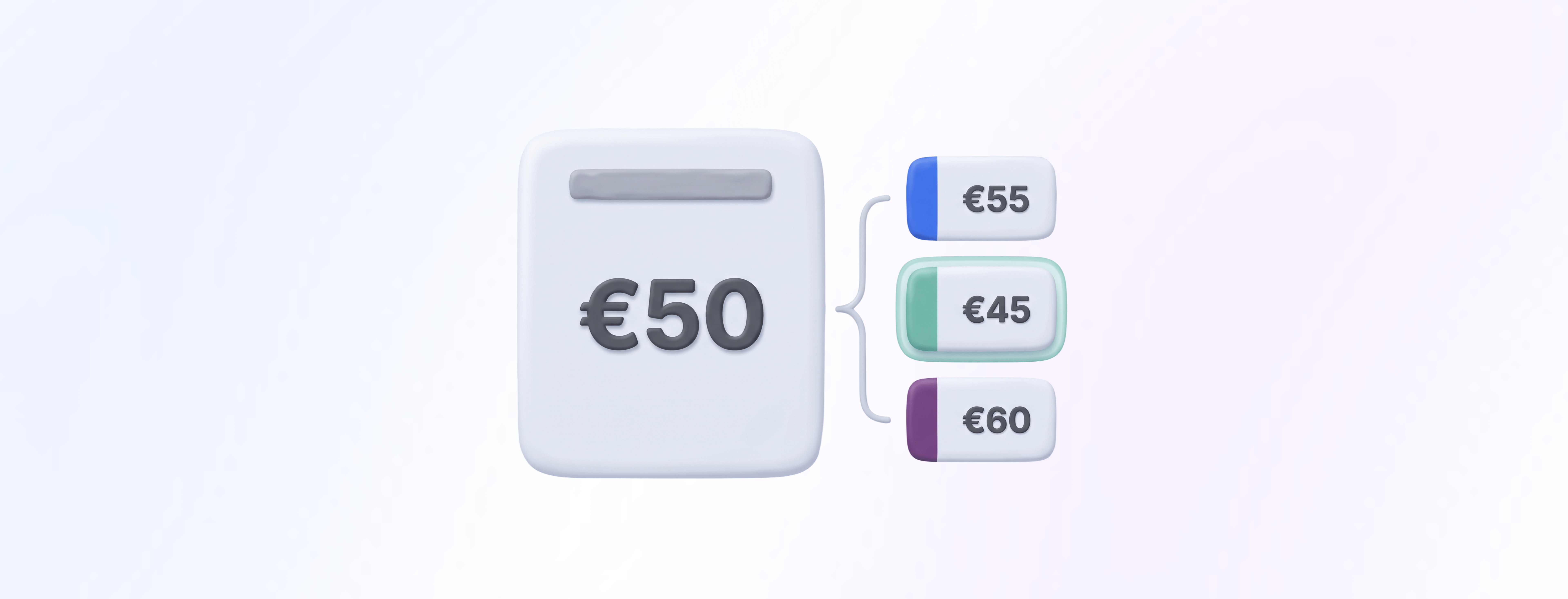
- Lets you define resource-level price modifiers in the anny admin for an existing booking option or Service
- Supports pricing on child resources (for example seats, zones, or sub-areas within a parent resource)
- Automatically shows and calculates the correct price in the booking flow based on the selected resource or child resource
- Keeps the core offer centrally managed while allowing granular pricing where it matters
Improvements
Faster, Smarter anny AI Phone Assistant & Chat

- Reduces latency for AI responses in chat and phone by up to 50% in relevant cases
- Improves intent detection and request classification for more accurate answers
- Delivers more reliable, context-aware follow-ups across both channels
- Applies to AI-powered touchpoints in the booking flow; related configuration and monitoring can also affect the anny admin area
New Feature
Video Calls built into anny

- Lets you create a video call for an appointment directly in anny
- Enables starting and hosting the meeting within anny, end to end
- Works across the key touchpoints where video meetings are managed: Admin area and booking flow
- Removes the dependency on external video tools and separate user accounts for hosts or participants
Improvements
Configure invoice language for organizations

- Adds a new “Invoice language” setting in anny Admin under Organization settings
- Lets admins choose one of three options:
- Always use the organization language
- Always use the customer language
- Use the organization language with an English fallback (when a translation isn’t available)
- Applies the selected language consistently across invoice creation logic, including initial file generation and invoice locking
Improvements
Transfer subscriptions between customers
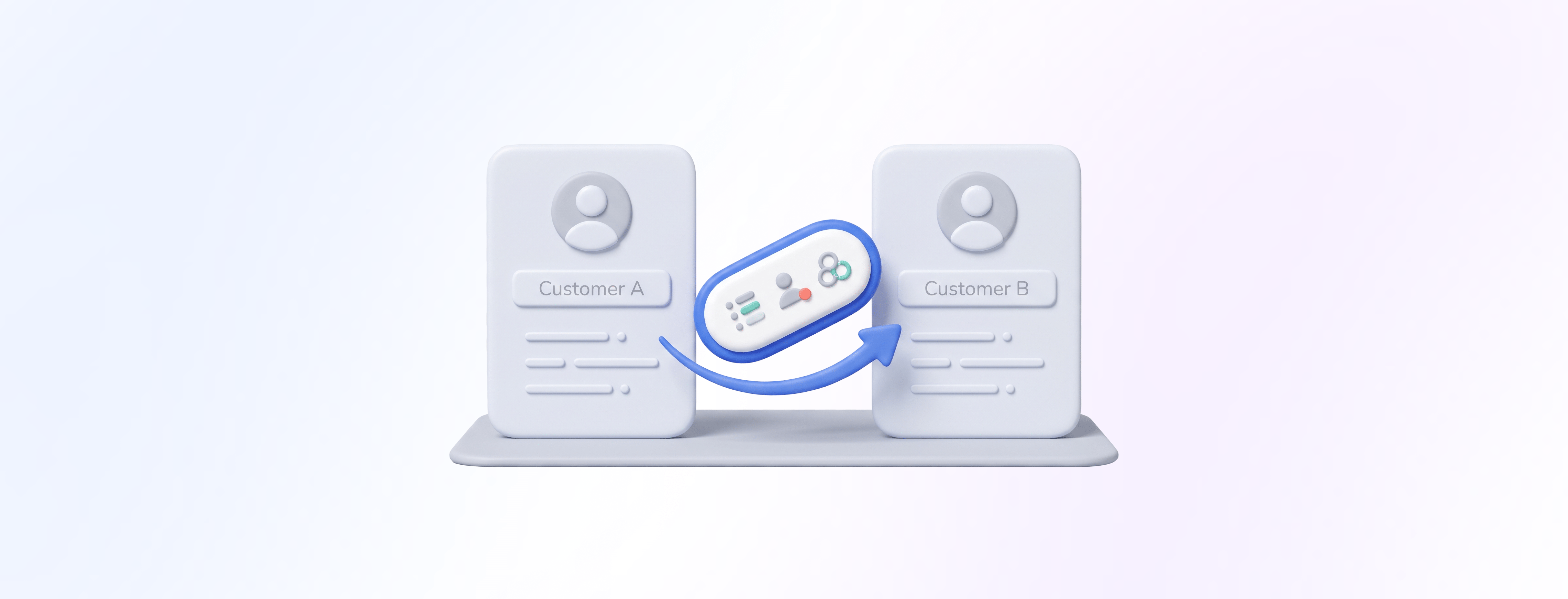
- Adds a new “Transfer” action to the subscription detail view in the anny Admin area
- Lets admins select the target customer within the same organization
- Enables creating a new customer or editing an existing one during the transfer flow
- Moves the subscription to the selected customer via a regular update
- Transfers related entitlements, including quota/contingents, subscriber assignment, and Community memberships
- Does not automatically transfer payment method and billing email; these remain managed separately
New Feature
Start and End Time Filters for Bookings

- Adds support for filtering bookings by
start_timeandend_timein booking lists - Applies in the anny Admin area and booking area, especially within booking management views
- Improves the underlying filter logic (and related API mechanisms) so time-based filtering is consistent across lists and integrations
- Enables more precise operational checks, reporting, and reviews when only a subset of a day is relevant
start_time and end_time, they filter the booking list to that window and immediately see only the relevant bookings instead of searching through the entire day.More information can be found in the helpcenter article: https://docs.anny.co/de/articles/454923-adminbenachrichtigungen-in-annyNew Feature
Glutz eAccess Integration for automatic PIN access

- Connects anny to your Glutz eAccess server via server address, username, and password in the anny Admin area
- Lets admins create rules that map anny resources to one or more Glutz access points (doors)
- Supports configurable buffer times (before and after the booking) per rule
- Optionally enables remote opening (if configured)
- Automatically creates a separate access for each booking in Glutz with a unique 8-digit PIN code
- Updates the access time window automatically when a booking time changes
- Removes the access and PIN automatically when a booking is canceled or deleted
- Stores no personal data in Glutz, only a booking reference for traceability
New Feature
Recurring bookings 2.0: series preview and accurate billing

- Models recurring bookings as a series with one anchor booking plus individual occurrences
- Supports both predefined fixed date series and customer-configured recurrence rules
- Lets customers define frequency, interval, weekdays or monthly patterns, duration, and an end condition (end date or unlimited)
- Applies payment logic: unlimited series are only possible with pay-later; end date is required for immediate or prepaid bookings
- Checks availability for every single occurrence before booking and shows a per-date preview (including a summary like “12 of 15 available”)
- Books available occurrences even if some dates are unavailable; unavailable dates are skipped
- Carries the full booking content per occurrence: resource, time range, customer, pricing, add-ons, additional resources, quota consumption, discounts and price adjustments
- Copies notes, description, and customer instructions from the anchor booking to the occurrences
- Supports managing existing series: edit after creation, extend automatically, cancel partially or fully
- Handles billing per offer: either one combined invoice for the series or per-appointment billing (only the next occurrence is charged)
Improvements
Shipping options and fees for packages and value vouchers
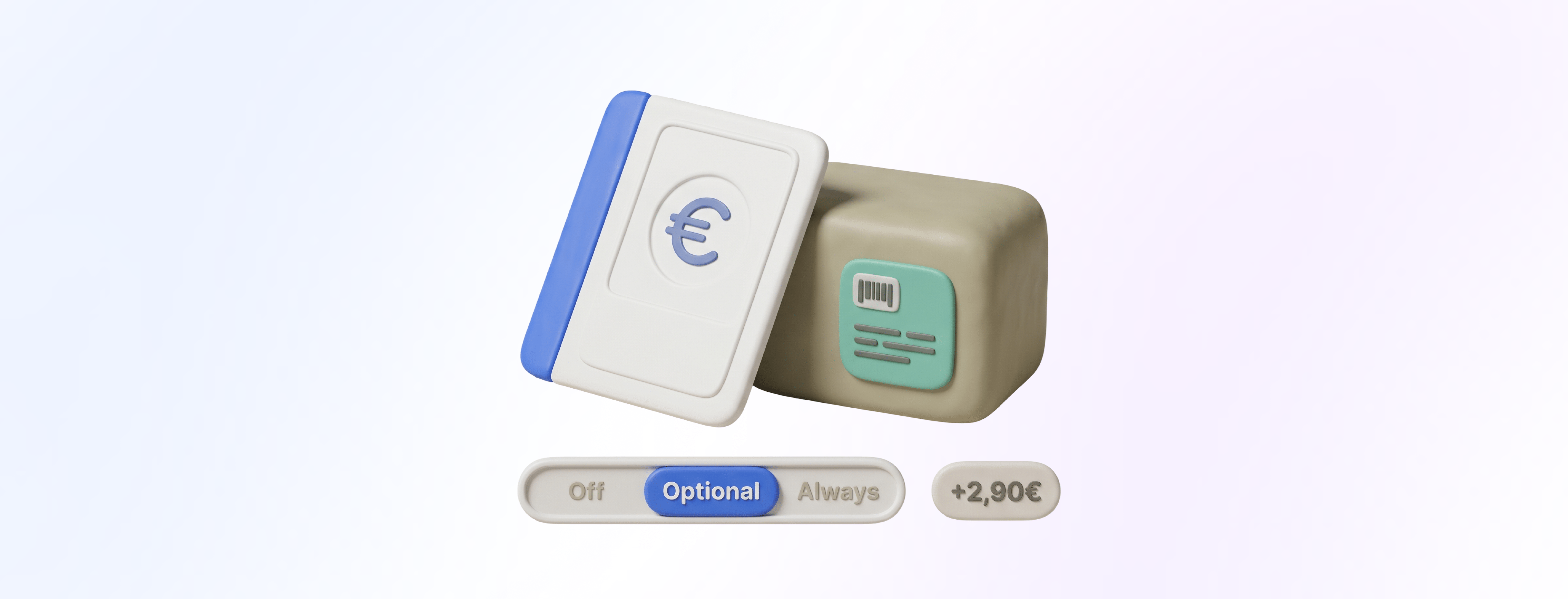
- Adds a shipping mode setting per booking package and per value voucher: disabled, optional, always
- Lets you set a shipping fee amount per package/voucher that is charged in addition to the voucher/package value
- Adds an optional shipping selection in checkout when shipping mode is set to optional
- Automatically includes the configured shipping fee in the checkout total when shipping is selected (or required)
- Provides visibility in the anny admin so teams can see which purchases require shipping
- Enables marking an item as shipped to support operational fulfillment and tracking
Improvements
Subscribe without an account

- Adds a per-plan setting in the anny admin area to decide whether login is required before subscription purchase
- Enables a guest subscription checkout flow where customers enter the required details directly in the checkout
- Supports completing the payment setup without a pre-existing account
- Updates the success page to guide customers to register after purchase
- Introduces a post-purchase registration and claim process so the subscription can be assigned to an account and managed later
Improvements
Start subscriptions in the future

- Adds a per-plan setting in the anny admin area to allow or disallow future subscription start dates
- If enabled, customers can select a start date in the future during subscription checkout
- If disabled, the existing behavior remains: subscriptions start immediately after purchase
- Ensures the selected start date is clearly selectable in checkout and is correctly applied when the subscription is created so access starts on the planned date
New Feature
AI-Powered Cancellation Reasons Analytics

- Adds a free-text field for customers to state their cancellation reason during the cancellation flow in the Shop
- Automatically assigns the free-text reason to an AI category (e.g., “Too expensive”, “Missing features”, “No longer needed”)
- Shows the distribution of categories in a dashboard pie chart for fast insight
- Displays the category in the cancellations list for quick scanning
- Shows the full original cancellation reason in the cancellation detail view for context
New Feature
Apple Pay and Google Pay in embedded anny Widget

- Enables Apple Pay and Google Pay inside embedded anny widgets (no redirect or interruption in the flow).
- Adds a new required setting in anny Admin: save your website domain in Organization settings under General information.
- Uses dynamic domain verification so the saved domain is automatically enabled by anny.
- Works for bookings, packages, and subscriptions, including use cases like room booking checkouts in the widget.
New Feature
License plate field and COMYDO barriers for parking bookings

- Adds a new custom form field type: “License plate” with input validation tailored for license plate entries
- Makes the license plate available in the booking flow for parking resources
- Passes the captured license plate into the COMYDO integration
- Automatically opens the barrier when COMYDO recognizes a matching license plate on entry
- Optionally triggers an automatic booking check-out on exit to capture actual usage time
New Feature
Custom Withdrawal Period for Subscription Plans

- Adds a new “Withdrawal period” setting to subscription plans in the anny admin area (configurable per plan).
- Updates the customer cancellation dialog in the booking area when a withdrawal period is active.
- If a customer cancels within the configured withdrawal period, they can choose between:
- Immediate withdrawal (with automatic pro rata refund for the unused portion), or
- Cancellation at the end of the current term.
- Allows customers to schedule a cancellation several months in advance.
New Feature
Automatic EVVA AirKey Access for Bookings

- Adds EVVA AirKey as a new smart lock integration in anny
- Automatically creates a digital access right for a booking shortly before the booking starts (just in time)
- Ensures compliance with EVVA AirKey’s limitation that only one active access can exist per lock at a time
- Matches the booking person to EVVA access via phone number
- Triggers EVVA to send setup instructions 30 minutes before the booking start via email and SMS
- Supports app-based access only (no PIN access)
Improvements
External links for communities on the anny Home Site

- Adds a new admin option to store up to three external links per Community in the anny Adminbereich (Web)
- Each link includes a label (name), a URL, and an icon
- Displays these links on the Community home page in the Buchungsbereich (Web) for members
- Members can click and open the external destinations instantly
- Web only for now
New FeatureImprovements
Daily Role Quotas Dashboard Widget
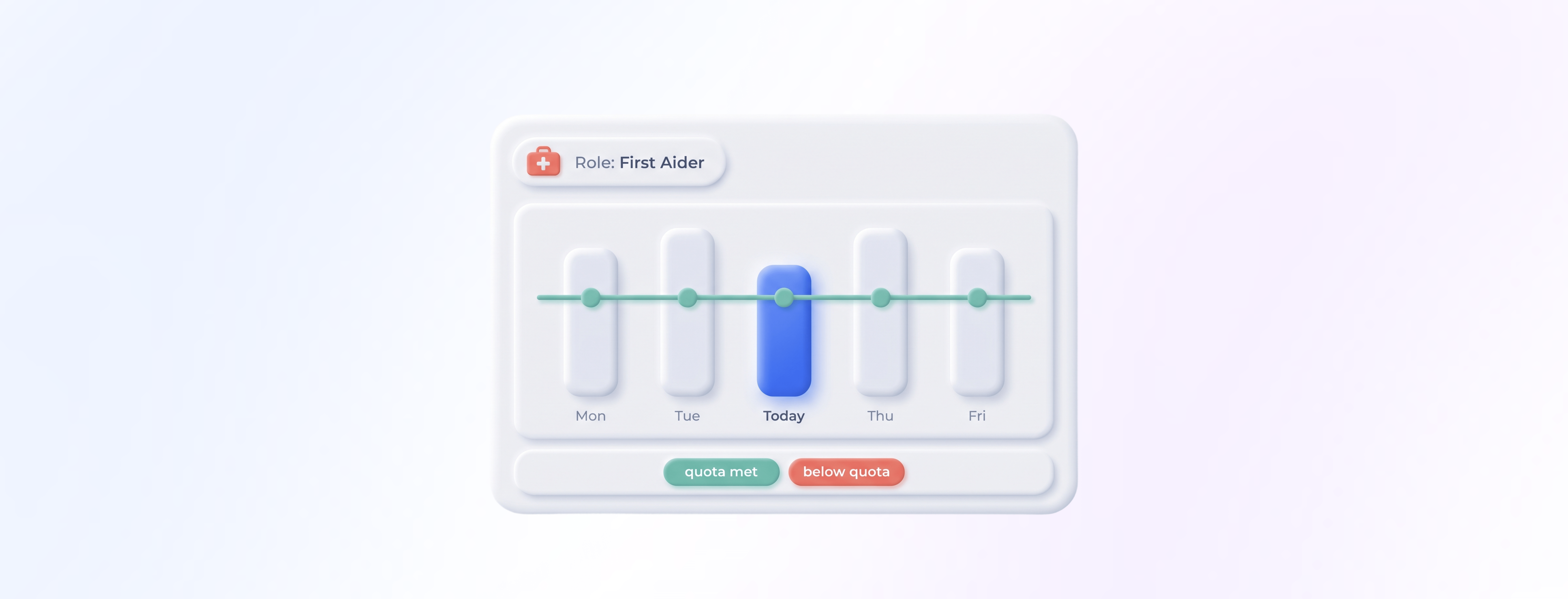
- Adds a new Dashboard widget that evaluates bookings per day by a selected role (for example, First Aider)
- Visualizes target vs actual for a defined quota so you can quickly spot if the quota is met or undercut
- Helps admins and responsible teams monitor day-by-day presence based on real bookings and assigned roles
Improvements
Apple Pay and Google Pay for subscriptions

- Adds Apple Pay and Google Pay as payment options for subscription products in the booking checkout
- Keeps SEPA and credit card available as before, with a clear selection flow for subscriptions
- Supports recurring subscription payments with the new payment methods
- Applies across anny Booking area and anny Admin where subscription payment method selection and processing is reflected
Improvements
Revenue by Product in Dashboard and PDF

- Adds a dashboard widget that shows revenue by product category (e.g., Resource, Service, Subscription Plan, Add-On, Booking Package).
- Displays the related online transaction fees per product or product group in the dashboard, so you can compare revenue and fees side by side.
- Extends the revenue overview PDF export with a revenue breakdown per product category for reporting and sharing.
New Feature
Company Profiles for Business Customers

- Creates dedicated company records that customers can be assigned to
- Stores central company data in one place, including company name, domain, billing address, and VAT ID
- Shows a consistent company context across customer management and profile data
- Lets registered anny customers manage their company data and members themselves
- Optionally enables “different business address” capture in checkout flows for Subscription Plans, Services, and Booking Packages (when the corresponding form setting is activated)
- Supports automatic member assignment based on company name and the domain of the business email address (if enabled)
New Feature
Collect a Separate Shipping Address

- Lets you enable an optional “shipping/delivery address” field set per subscription plan, Service, or booking package
- Shows an additional address section in the booking form only when the option is turned on
- Keeps the booking form unchanged when the option is turned off
- Supports common delivery scenarios like equipment shipping or mailbox rentals where delivery address and regular address differ
New Feature
Customer balances and consolidated invoices for B2B bookings

- Adds new Admin settings under “Invoicing” to enable customer balances and define how consolidated billing works (billing period, invoicing delay after period end, grouping by company, limits and thresholds).
- Lets Admins add a booking to a customer balance (“Add to customer balance”) and keep it as a draft invoice until consolidation.
- Shows eligible customers in checkout an option to book on customer balance instead of paying immediately (only if Service payment is enabled and permission criteria match Admin settings).
- Links each booking’s draft invoice to the balance month of the booking date (not the checkout date), while keeping draft invoices individually visible for traceability.
- Updates the draft invoice and balance automatically when bookings change, without triggering immediate payment.
- Consolidates all connected draft invoices at the balance due date into one posted invoice; all drafts remain visible and are linked to the final invoice.
- Adds a “Home” widget for customers that shows an overview of open balances.
- Automatically charges consolidated balance invoices via the stored payment method if the customer has a subscription with a saved payment method.
New Feature
purpleview integration for online appointments

- When a resource is linked to purpleview, anny automatically generates a unique meeting URL for every relevant booking
- The meeting URL is available for customers so they can join the online meeting at the time of their appointment
- Works seamlessly for appointment-based services, especially in public administration contexts (e.g. citizen services)
Improvements
Website Widgets v2: More components, buttons, and cart
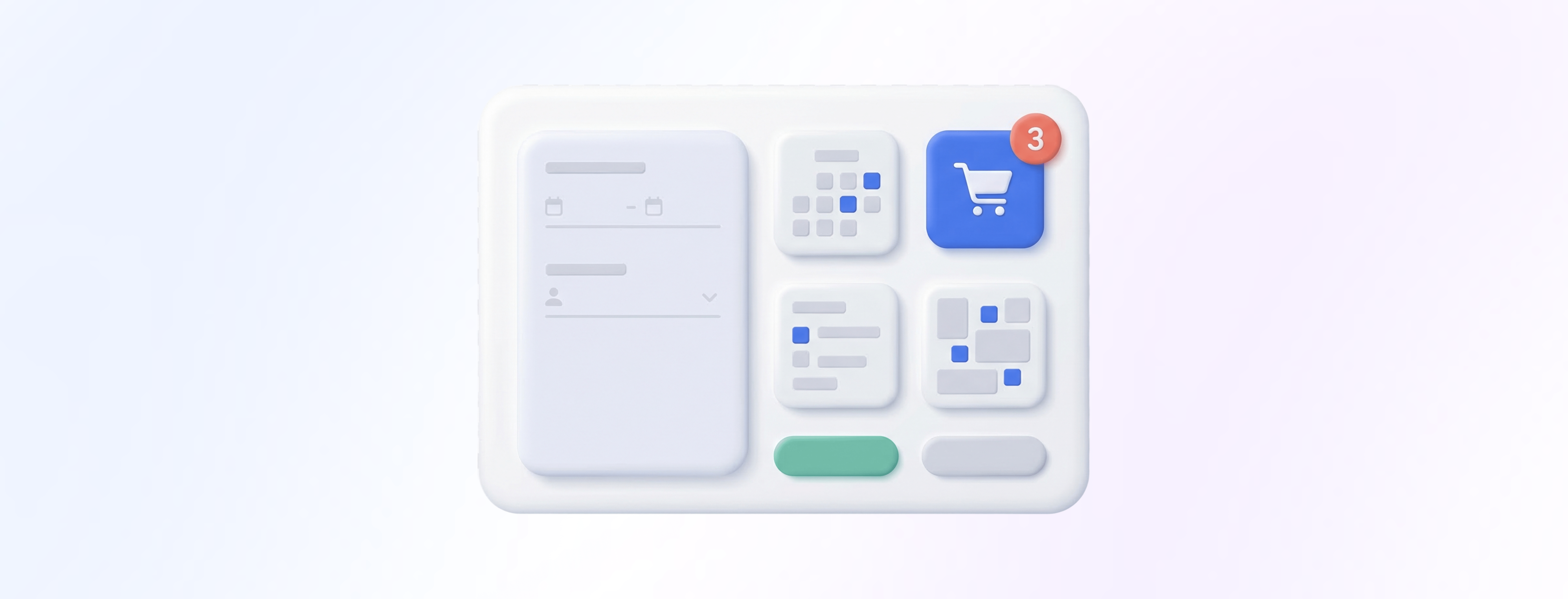
- Adds new embed components you can place directly on your website:
- Adds new modal button components (open as dialog, drawer, or fullscreen overlay):
- Adds a Cart Button:
- Introduces relative date parameters for start and end dates (e.g., “today”, “next_week”, “this_month”)
- Moves theming to the admin configurator so colors, backgrounds, and spacing are managed centrally and applied automatically
- Adds layout controls:
- Adds display options:
Improvements
New Board and Month Views in the Booking Calendar

- Adds a Board view that lists all bookings/appointments chronologically, without a time axis
- Shows every booking as a full-size card, independent of duration, ideal for course and event overviews
- Adds a Month view for quick, high-level planning
- Improves Week view: bookings with a duration of 7+ hours are now displayed as all-day items at the top of the calendar
- Limits parallel display to max. 2 simultaneous bookings, with additional overlaps accessible via a “+X” indicator
- Supports displaying up to 30 resources at once
- Lets users filter and adjust the calendar view, with filters saved per user for the next visit
New Feature
Regpit integration for automated identity verification

- Creates a Regpit case automatically as soon as a customer requests a relevant subscription plan in anny
- Notifies the customer from anny that identity verification is required and routes them to Regpit
- Collects additional customer and business details in Regpit and supports verification methods like video identification
- Confirms the subscription request in anny once Regpit has all required data and the overall risk is below your defined threshold
- Declines or prevents confirmation if the overall risk is too high
- Adds a new verification status component on the customer page and the subscription page so admins can see the current verification state at a glance
Improvements
Refunds as Store Credit Vouchers
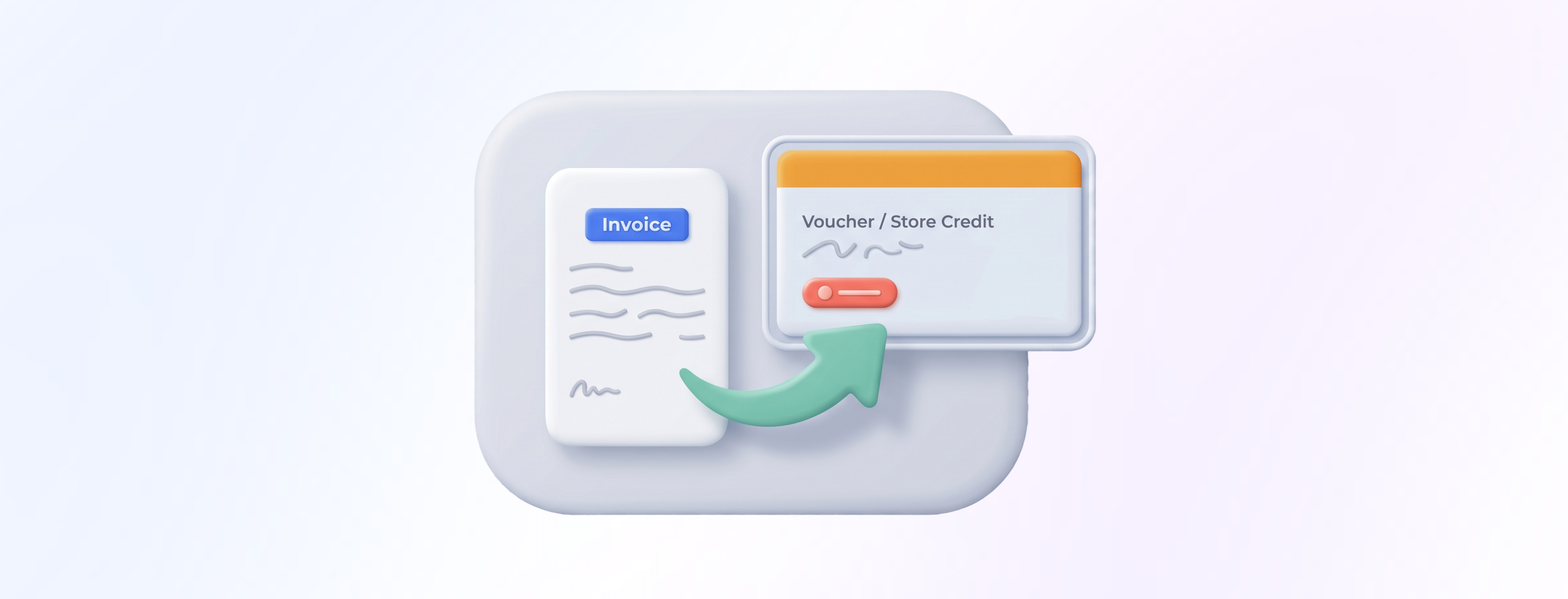
- Lets admins choose “refund as voucher” via a dropdown when finalizing a cancellation invoice (only if the original invoice was paid online).
- Adds a setting in Admin Service settings > Cancellation to define which voucher type is used for “Cancel as voucher”.
- Supports multiple voucher types with different applicability restrictions, so you can map the right voucher to the right Service.
- Shows customers in the cancellation details on the booking page that the refund will be issued as a voucher.
New Feature
Self-serve booking rescheduling

- Lets admins enable or disable end-user booking edits (default: disabled)
- Adds an editable deadline (change window) that defines how short-notice a change can be made
- Allows admins to decide whether child resources can be changed (e.g., switching desks within the same room/area)
- Shows an edit option in “My bookings” for end users when enabled
- Supports rescheduling beyond add-ons and additional bookings: end users can now also adjust date/time and child resource
- Automatically calculates and applies price changes (refund or additional payment)
- Respects lead times for Add-Ons and Service
- Enforces the earliest possible new date based on: earliest new date = MIN(old date, today + lead time)
Improvements
Open-Amount Gift Vouchers

- Adds a new admin setting to select the voucher mode in Booking packages > Edit package
- Supports two modes:
- On the organization page under Packages, customers can select a voucher/package
- If the amount is open, customers can pick from suggestions or enter their own value
New Feature
Smart Availability Groups for Complex Resource Dependencies

- Create resource groups under Service > Booking options > Resources > Dependencies and assign multiple resources to each group.
- During availability checks, anny ensures that at least one resource from each group is available for the selected time slot.
- At booking time, anny automatically reserves exactly what’s needed: one resource per group, plus any connected resources, without double-booking the same resource.
- A single resource can be used as a connected resource and also be referenced again inside a Smart Availability Group.
- Limitation: using the same resource across more than two groups at the same time is not supported.
- Important: if an admin creates a booking with “Check availability” disabled, dependent resources are not booked, because they would restrict availability.
New Feature
Exclusive Slots per Order

- Adds an admin toggle in resource availability for resources with multiple availability (and for child resources that have multiple availability).
- When enabled, a slot becomes “exclusive” as soon as the first booking is made in that slot.
- Prevents other customers from booking the remaining capacity in that same slot via separate orders.
- Keeps capacity transparency for admins: you can still see the real utilization (e.g., 2 of 4 spots used).
- Ensures groups are not mixed within the same slot even when the resource technically has remaining capacity.
Improvements
Min and Max Quantity per Booking Option

- Lets you set a minimum and a maximum quantity per Service/booking option in the advanced settings
- Applies the limits directly when a customer adds a booking
- Prevents checkouts that don’t meet your defined minimum (and blocks quantities above your maximum)
- Works especially well for services where multiple units are booked in one go, like tickets, seats, or participants
New Feature
Urban Sports Club Integration
- Lets you select which anny courses are exported to USC (based on the course planner model).
- Automatically transfers all sessions for the next 3 weeks and keeps them synchronized.
- Makes only sessions within the next 2 weeks bookable for USC users.
- Supports trainer and room recognition by mapping resource categories for trainers and linking rooms 1:1 to USC locations.
- Allows setting a default trainer and default room if you do not want to define them on every session.
- Prevents moving sessions after they have been exported to USC (USC does not allow rescheduling). Exported sessions can only be canceled.
- Cancels the session in USC when you cancel it in anny, including all USC bookings.
- Validates USC bookings in real time in anny to prevent double bookings and overbooking.
- Updates capacity in USC in real time when bookings come in via anny or other channels.
- Marks USC bookings in anny via a dedicated booking option “Urban Sports Club” (not editable).
- Optionally lets you store a USC settlement price to track revenue from USC bookings.
- Imports USC check-ins into anny so attendance is visible in your operations.
- Anonymizes canceled USC bookings and USC no-shows in anny according to USC requirements.
- Imports USC no-shows one day after the session ends, since USC provides them on the following day.
- Offers optional capacity controls: reserve a contingent of seats for direct bookings (anny and other channels) and automatically release remaining reserved seats to USC at a defined time (for example 24 hours before start).
Improvements
Series bookings v2: Book series from resource availability

- Moves series date definitions from the booking option into the resource’s availability (available time slots).
- Lets you optionally assign each available time slot to a specific series.
- Allows connecting additional provided resources per slot (e.g., trainers, coaches, rooms) from the same central place.
- Enables customers to choose a series via a dropdown during booking.
- Books all dates of the chosen series at once as a package.
- Supports mixing series and drop-in bookings to fill remaining capacity.
- Centralizes update management: single dates can be cancelled or rescheduled in the resource availability and affected bookings stay synchronized.
New Feature
Let customers edit add-ons after booking

- Adds a new admin setting on the booking option/service add-on configuration: “Allow editing add-ons after booking”.
- When enabled, customers can edit selected add-ons directly in their booking details (customer view).
- Respects each add-on’s lead time, so customers can’t request last-minute changes that you can’t fulfill.
- Supports changes to limited add-on resources (for example equipment with restricted availability).
- Automatically handles payment differences: the system triggers the required top-up or refund when add-ons are paid and/or online payment is used.
- Keeps the booking updated without requiring a manual admin change for typical add-on adjustments.
New Feature
Multi-Tenant Check-In Displays

- Lets the first organization perform the initial pairing of the Check-In App with the device
- Enables adding additional anny organizations from within the Check-In App settings
- Shows the paired Check-In Display in each connected organization’s account settings
- Allows each organization to customize its own terminal experience, including design, check-in forms, and NDAs
- Adds an organization selection screen on the Check-In App start screen when multiple organizations are connected
- Uses the selected organization’s branding, forms, and NDA for the full check-in flow
- Allows selecting hosts from the chosen organization so notifications and visitor context stay tenant-specific
- Keeps data strictly separated: visitor data is captured directly and exclusively inside the correct anny organization to support GDPR requirements
- Requires licensing per company (one license per organization)
New Feature
Shared dashboards and new widgets

- Shows a clear overview in Dashboards with separate sections for private and shared dashboards
- Lets you create unlimited private and shared dashboards
- Adds role-based permissions per shared dashboard and per widget category in the role settings
- Opens any widget in fullscreen for easier analysis and presentation
- Adds custom date ranges per widget in addition to dynamic presets (for example “This week”); custom ranges can cover up to 365 days
- Lets you fine-tune widget display options (for example legend visibility, averages, and more)
- Ensures consistent resource colors across all widgets for faster recognition
- Enhances the utilization widget with new filters for Community and address (in addition to resource, Service, category, and group)
- Introduces new widgets: Peak hours & days, Top resources, Top services, Category distribution, Total revenue, MRR, Top customers, Customer growth, New customers
- Adds reporting options to group bookings by date and by UTM source for more precise performance tracking
New Feature
keycafe integration for automated key handover

- Lets admins authenticate keycafe in the anny admin area, consistent with other integrations
- Pulls keys from keycafe and allows you to map them to anny resources (for example, resource “Audi RS” to key “Audi RS key”)
- Automatically transfers each booking to keycafe so the mapped key is assigned to the booking customer for the exact booking period
- Triggers keycafe to email the customer a booking code, which they use at the keycafe SmartBox to pick up and return the key
New Feature
Self Check-Out: Cancel after Check-In & smarter Check-Out rules

- Allows cancellation even after a user has checked in.
- Applies the booking option’s cancellation window as the single source of truth, regardless of check-in status.
- Prevents check-out before the booking start time.
- Adds a minimum usage duration before check-out is allowed, so extremely short “sessions” don’t fragment capacity.
- Keeps check-out focused on its real purpose: freeing remaining capacity only when there was genuine partial use.
New Feature
Dynamic Capacity Planning with On-Demand Resources

- Lets you link On-Demand resources (e.g., guides, trainers, rooms, equipment) in the settings of available time slots, alongside fixed resources.
- Assigns the first matching On-Demand resource only when capacity is claimed by a booking.
- Automatically creates a blocker in the resource’s calendar the moment it gets assigned.
- Removes the assigned resource from the On-Demand pool for overlapping offers, preventing double allocation.
- Updates slot capacity in real time based on booking demand and the resources that get assigned.
New Feature
New resource status: separate view and booking

- Adds a new status dropdown on each resource with 5 options.
- Renames existing statuses: Active is now Live, Inactive is now Internal.
- Adds a new setting in the resource’s Service settings: Enable booking.
- Combines Live/Internal with booking enabled/disabled to determine the overall behavior of the resource.
- Introduces free, non-billable states so resources can exist for visibility or setup without impacting billing.
New Feature
Per-session resource dependencies

- Lets you create sessions (previously called irregular availabilities) under Resource settings > Availability.
- Allows you to link additional resources directly inside the session settings (for example: “Trainer” and “Room”).
- Automatically creates a blocker for each linked resource as soon as the session is created, even if the course has no bookings yet or isn’t live.
- Keeps everything in sync: when a session is moved or updated, the linked blockers update accordingly.
- Optionally shows the linked resources in the booking calendar, email communication, and booking details so customers can use that info when deciding.
New Feature
Time Slot Series and Custom Titles for Appointments

- Renames “Irregular availabilities” to Time slots (Resource > Availability > Appointments).
- Lets you set an individual title per time slot (for example “Beginner session” or “Advanced training”).
- Shows the time slot title in the booking calendar, so end users immediately understand what they are booking.
- Adds the option to create a time slot series in a recurring pattern (for example every 2 weeks).
- After creation, each time slot remains independent: you can edit, move, cancel, or adjust dependencies per slot without affecting the others.
- Supports future-friendly setup for extended per-slot options (for example auto-blocking related resources like rooms or trainers).
New Feature
Custom message on booking status changes
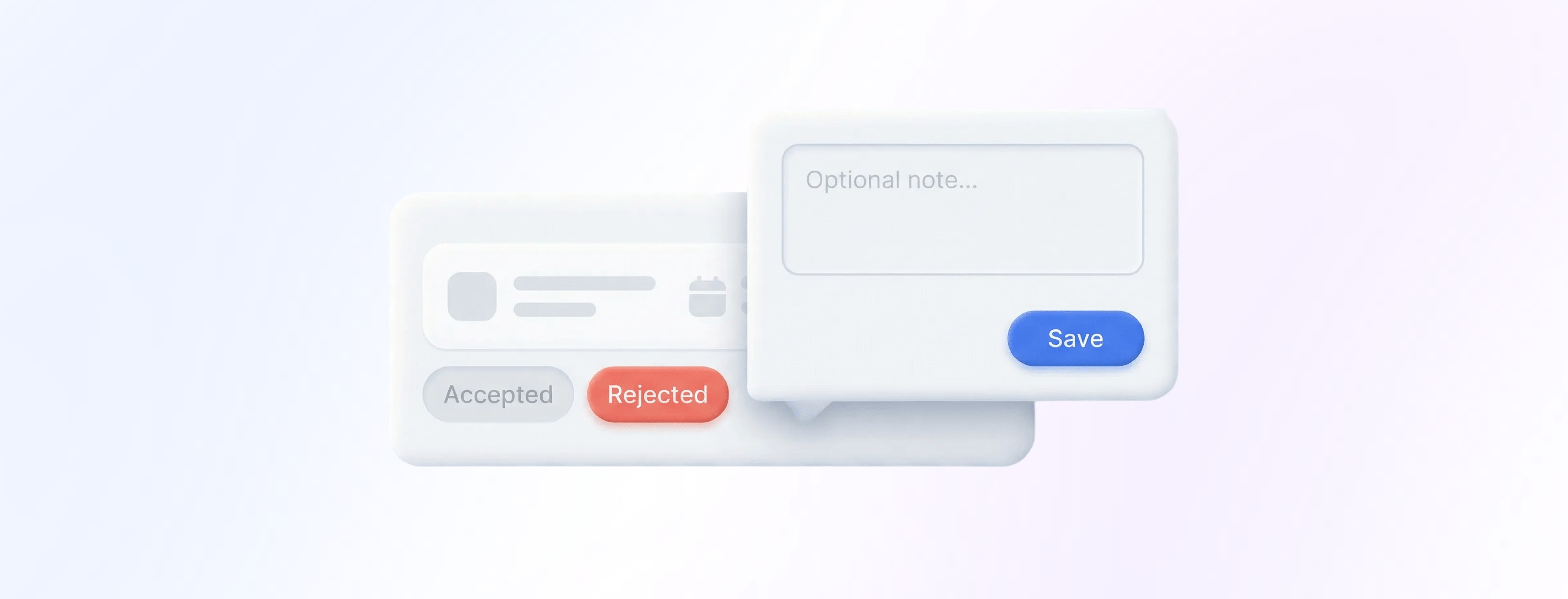
- Shows a pop-up after every booking status change where you can optionally enter a short message.
- Inserts your message into the status change email that is automatically sent to the customer.
- Helps you add context for the status change without rewriting the full email.
- Encourages concise notes (no greetings or formal sign-offs), focused only on the reason or helpful next steps.
New Feature
Bulk reschedule or cancel bookings for a session

- When you change a session time (reschedule) in the Admin Calendar (Planner mode), all bookings that exactly match that session’s time are moved accordingly.
- When you manually cancel a session in the Admin Calendar (Planner mode), all bookings that exactly match that session’s time are declined accordingly.
- When you change sessions via Resource settings > Availability > Sessions, the same automation applies.
- If a session’s blocked resources change (for example a different room or a different trainer gets assigned), affected bookers are automatically informed.
- Only bookings with the exact same start and end time as the session are included (no overlapping bookings and no bookings fully inside the time window).
New Feature
Show available slots in the calendar

- Displays available timeslots across all calendar views in the booking area (no changes in admin).
- Works for resources with available quantity > 1, such as courses, events, desks, and study places.
- Shows upcoming sessions even with 0 bookings, so your calendar is complete from day one.
- Adds a “+” button on eligible slots so customers can add a date to their cart in one click.
- Makes it easy to plan multiple bookings and complete them in a single checkout.
New Feature
Minimum bookings per session with auto-cancellation

- Set a minimum booking count per session (e.g., 10 participants).
- Define a cutoff window before the session starts (e.g., 24 hours).
- If the minimum isn’t reached by the cutoff, the session is automatically cancelled and all existing bookings are declined.
- If customers already paid, payments are automatically refunded.
- Admins get notified 1 hour before the automatic cancellation so they can still run the session by lowering the minimum.
- Admins also get notified when the minimum is reached.
- Customers receive automated messages about cancellations and refunds.
New Feature
Weekly view in the booking calendar

- Adds a Week view toggle next to the existing Day view on the Explore booking page calendar
- Displays bookings and blockers using the resource color (configured per resource in the admin)
- Helps you see availability across multiple days without jumping between dates
- Keeps the admin area unchanged (only the booking page calendar experience is updated)
Improvements
Require legal documents confirmation on every booking

- Adds a new toggle option “Ask every time” when creating or editing a legal document in the admin area (default: off).
- When enabled, end customers must confirm/sign this document again with each new booking checkout.
- When disabled (default), the existing behavior remains: one-time confirmation is enough.
Improvements
Enhanced subscription management
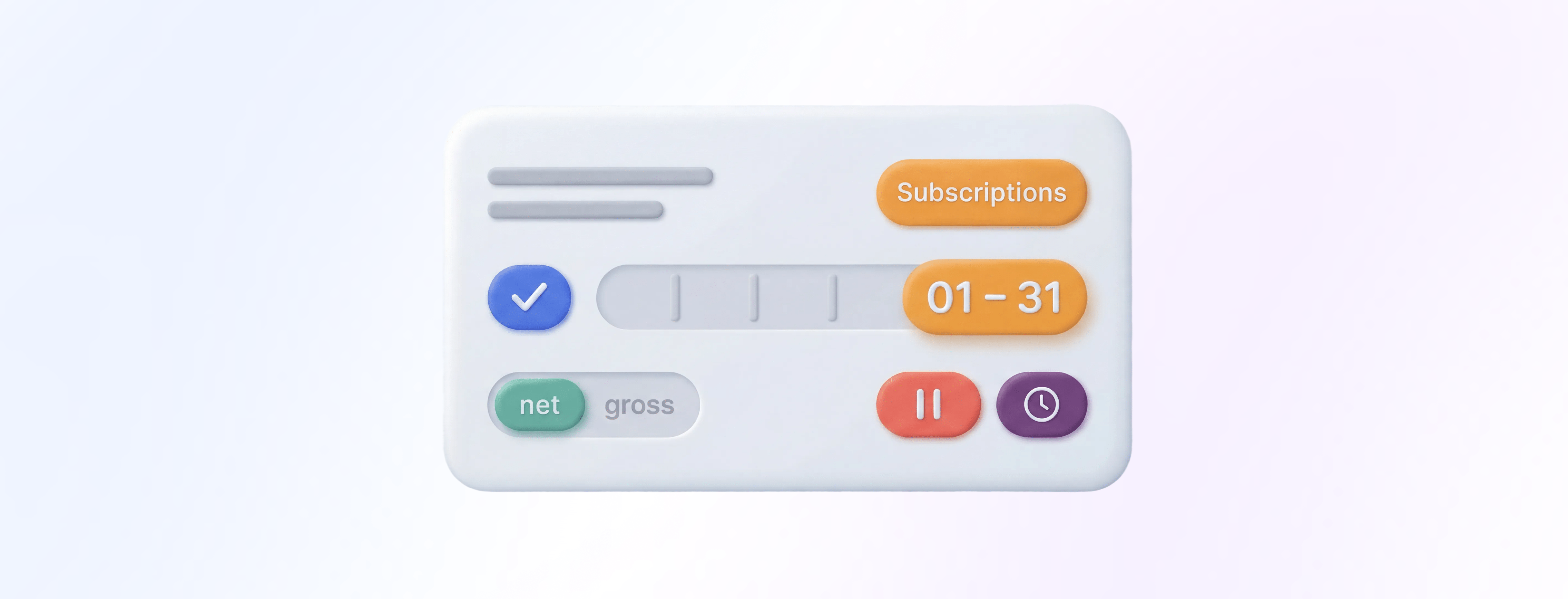
- Admins can cancel subscriptions up to 6 months in advance.
- Dates for new subscriptions are displayed in a clearer, more human-friendly format (e.g. 01 - 31 instead of 01-01).
- Admins can view and change the price mode (net/gross) per individual subscription.
- Admins can schedule a subscription pause in advance.
- Improved overall stability of the recurring logic, including:
- Subscriptions now continue renewing reliably even when a minimum term is involved.
- Planned subscriptions start more consistently at their scheduled time.
- Subscribers are removed from the Community more consistently after a subscription ends.
Improvements
ISO 27001 certification for anny

Now, anny as a company is also ISO 27001 certified, confirming that our Information Security Management System (ISMS) meets an internationally recognized standard.
In addition, anny is now ISO 27017 certified, covering cloud-specific security controls.❓What it does
- Confirms that anny operates an audited, company-wide Information Security Management System (ISMS) based on ISO 27001
- Confirms that cloud-specific security controls are audited and certified in line with ISO 27017
- Builds on existing GDPR-compliant processes and an already ISO 27001-certified infrastructure
- Ensures that confidentiality, integrity and availability of your data are managed through standardized controls
- Demonstrates that technical and organizational measures (TOMs) are systematically implemented and reviewed on a regular basis
- Simplifies internal security and privacy approval processes, especially for CISOs, IT security teams and Data Protection Officers
- Reduces procurement friction where an ISO 27001 certified SaaS provider is a mandatory requirement (e.g. KRITIS, large enterprises)
- Supports the implementation of Clean Desk & Clear Screen policies through secure, shared workplace scenarios (for example via check-ins and automatic logout)
- Strengthens your compliance posture in view of upcoming regulations such as NIS2 and associated national laws from 2026 onward
With anny’s ISO 27001 and ISO 27017 certifications, security and data protection teams can rely on an audited framework that formally confirms established security practices instead of conducting lengthy ad hoc reviews.
New Feature
UTM Link Tracking
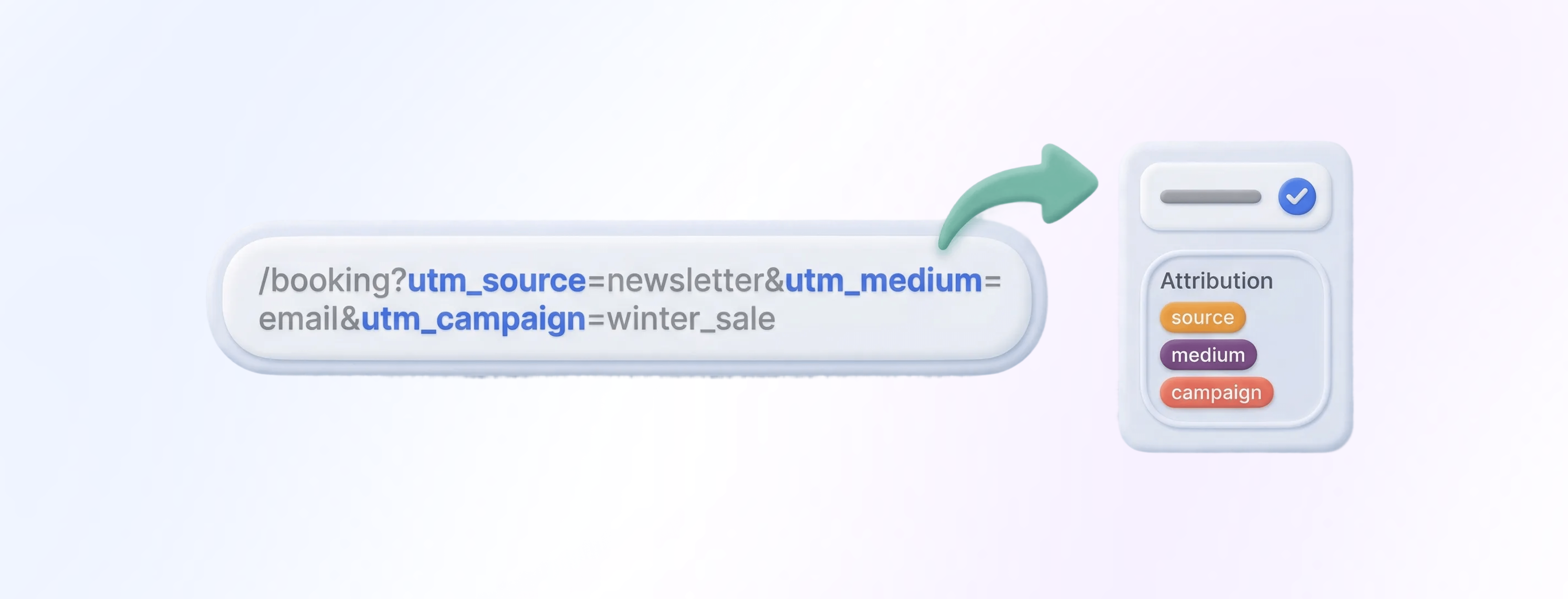
- Lets admins generate trackable booking page links with utm_source, utm_medium, and utm_campaign
- Provides an integrated link builder, with the option to add parameters manually
- Stores attribution when a customer completes a booking, subscription, or booking package within 14 days after clicking a UTM link
- Shows a new “Attribution” panel in: Booking details, subscription details & booking package details
- Adds attribution fields to tables and exports: Bookings table and export, subscriptions table and export & booking packages table and export
Improvements
VAT rates for price modifiers

- Adds a new field “VAT rate” in the price modifier detail view.
- Lets you set a different VAT rate per price modifier, independent from the Service/booking option.
- Defaults to the Service/booking option VAT rate when the field is left empty.
- Helps you separate fixed price components (e.g., fees, packages, cleaning) for clearer invoicing and tax reporting.