

Improvements
New role and ability system
The role and ability management is one of the most used features of anny. It allows you to granularly set the abilities that roles or individual admins have in the admin area. For example, you can set which admin can see, create, edit or delete a resource or service.Over the last few years, anny has gained many new functions and the requirements for the ability and role management have increased as a result. We have therefore fundamentally revised the role and ability system for admins.We have revised the user interface to manage the abilities of roles and admins. You can now see at a glance which rights have been assigned and which restrictions apply to them.You can also assign abilities for services, maps, subscriptions, and communities.Furthermore, you can now also define individual abilities directly when inviting an admin. This means you don’t have to create your own role before you can invite the admin.
You will also find the option to directly invite an admin for a resource on the resource overview and details page. This allows you to send even faster invitations for admins with restricted authorizations. You can find a detailed article on ability and role management in our Help Center: https://docs.anny.co/en/articles/255697-user-and-role-administration
ImprovementsNew Feature
✨ Community access for smart locks and new interface
Until now, smart lock accesses could only be created automatically for individual bookings. Now, however, you can also easily assign specific smart lock accesses to your communities. This means that you can link access to certain areas directly to membership of a community. This gives your members convenient and secure access that is managed automatically.For example, a new community member can automatically gain access to the coworking space as soon as they register, and this access is revoked as soon as their membership ends.
In addition, there are some visual customizations that give you even more control over your smart locks: Optimized interface: A new, simplified design makes managing your smart lock integrations even more intuitive. Smart locks in booking details: On the booking details page in the admin area, you can now see exactly when, for how long and to which lock your user has access through the booking. In the help center, you will find everything that is new and the instructions for integrating the systems into anny: https://docs.anny.co/en/articles/30481-smart-lock-integration
Improvements
iLOQ and Exivo
Smart locks open up limitless possibilities for you to network locks with the digital world and thereby automate your processes. At anny, we already support a range of different smart lock systems. To offer you even more flexibility, we have now integrated additional smart locks from dormakaba (Exivo) and iLOQ into anny.New Feature
Global blockers
This Christmas, we are giving you something very special - time! 🎄✨Our team has developed a new feature that will save you a lot of time.
From now on, you can create organization-wide blockers for all or selected resources on certain days with just a few clicks.But that’s not all! With the feature, you can create blockers for all public holidays in your region with just one click. This ensures that no bookings are possible on public holidays - quickly and easily.You can find the global blockers in your account settings, or you can easily create them via the calendar.
Improvements
Major child resource management update
In anny, child resources have an important task, as they allow you to manage multiple bookable units within a parent resource. A typical example: You have a room (the parent resource) in which several desks are available. Each individual desk can be configured as a child resource (desk 1, desk 2, desk 3, etc.). This allows your users to book specific workstations. We have improved the management of child resources in anny to make your work with them even easier:🛠️ Individual properties per child resource
You can now customize the properties of your child resources so that they differ from the main resource. This is useful, for example, if one of your child resources is slightly different from the others, and you want to highlight this.🔄 Move flexibly
You can now move a child resource with just one click and assign it to another resource. This saves you having to delete and create it again.🌎 Global translations
Last but not least, you can now also translate all child resource names individually into all languages offered by anny.We hope you enjoy the latest update!New FeatureImprovementsanny app
anny app 2.1.0
We have released a new version of our anny app. With this release, booking quotas and dynamic pricing are now also included in the app. Moreover, we have added new languages. Have fun!Improvements
Notify Admins of failed or disputed payments
Admins will now get notified if a payment fails or was disputed. You can change your notification settings inside the admin profile (“Payment reminder” notification).New Feature
Add data for attribute mapping via API
Until now, the data used for attribute mapping could only be inserted into anny via attributes using SSO. Now, it is also possible to import additional data directly into anny via the API, meaning that this does not necessarily have to come via the IDP.This allows entirely new possibilities to work with our attribute mapping.Bug FixesImprovementsanny app
anny app 2.0.2
We have released a new version of our anny mobile app. Users now have the possibly to change their timezone directly inside the profile. Furthermore, we smashed some bugs to make the user experience even better.New Feature
Introducing Flexible Booking Types!
Your resource is now even more flexible - you now have the option to customize the booking type per service, so you can determine exactly how your resource is blocked by a booking.These are the different bookings types:- Transparent: The bookings will not block the resource for the period. Use this option to allow infinite bookings for the same time period.
- Default: A booking blocks the resource for the respective period. With multiple available resources, one capacity unit is blocked with each booking.
- Multiple: A booking blocks the capacity unit you have set with a single booking, e.g. for a group ticket. This setting is only available for resources that are available multiple times.
- Full: Bookings block the full capacity of the resource for the relevant period, e.g. to book a resource as a whole that has child resources. This only works for resources with child resources.
New Feature
Booking quotas and booking bundles
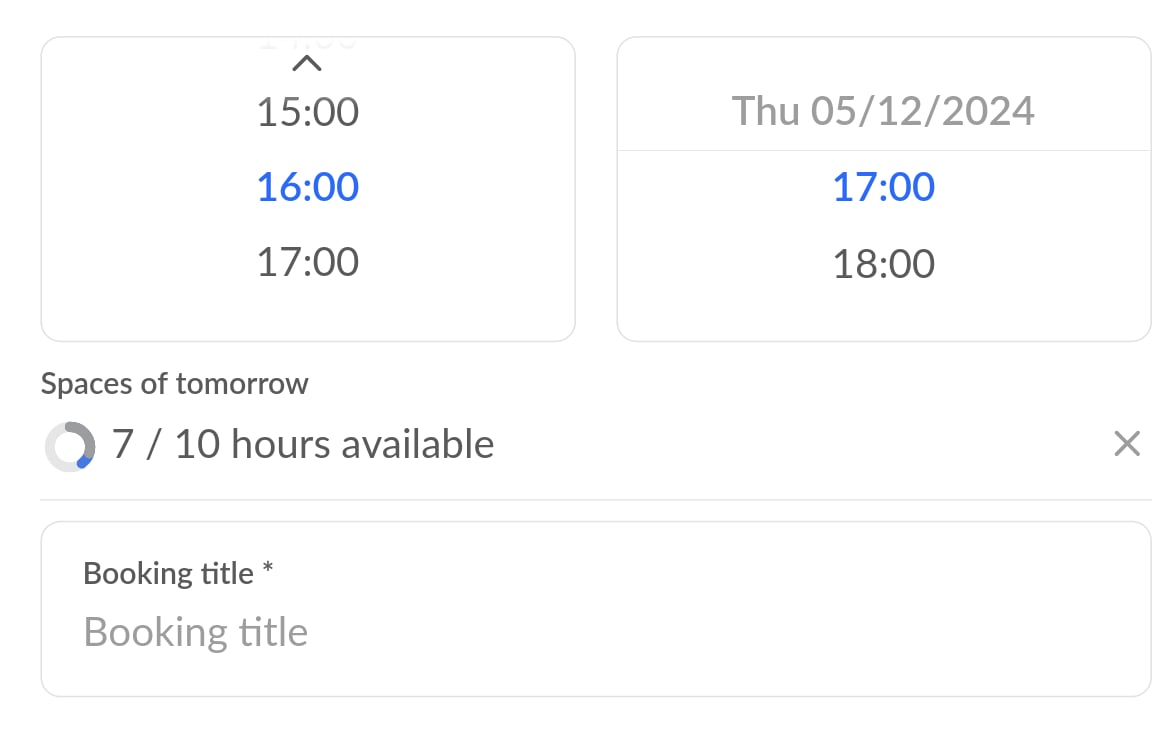
📋 Booking quotas
The new booking quotas provide you with three different quota types that you can set for your users:- Quantity quotas: A certain number of bookings that can be made
- Time quotas: a defined total duration that can be used over several bookings
- Budgets: a certain amount of money for which bookings can be made
Alternatively, you can set a quota for the booking of a resource so that no further bookings can be made afterward. Alternatively, the booking is billed at regular conditions once the quota has been used up.
👥 Quotas in communities and subscriptions
With booking quotas, you can create exclusive benefits for your subscribers and community members by linking them directly to your subscription plans or communities. You have the option of adding one-off quotas, for example as a welcome gift, or recurring quotas.You can find more in our help center: https://docs.anny.co/en/articles/197826-booking-quotas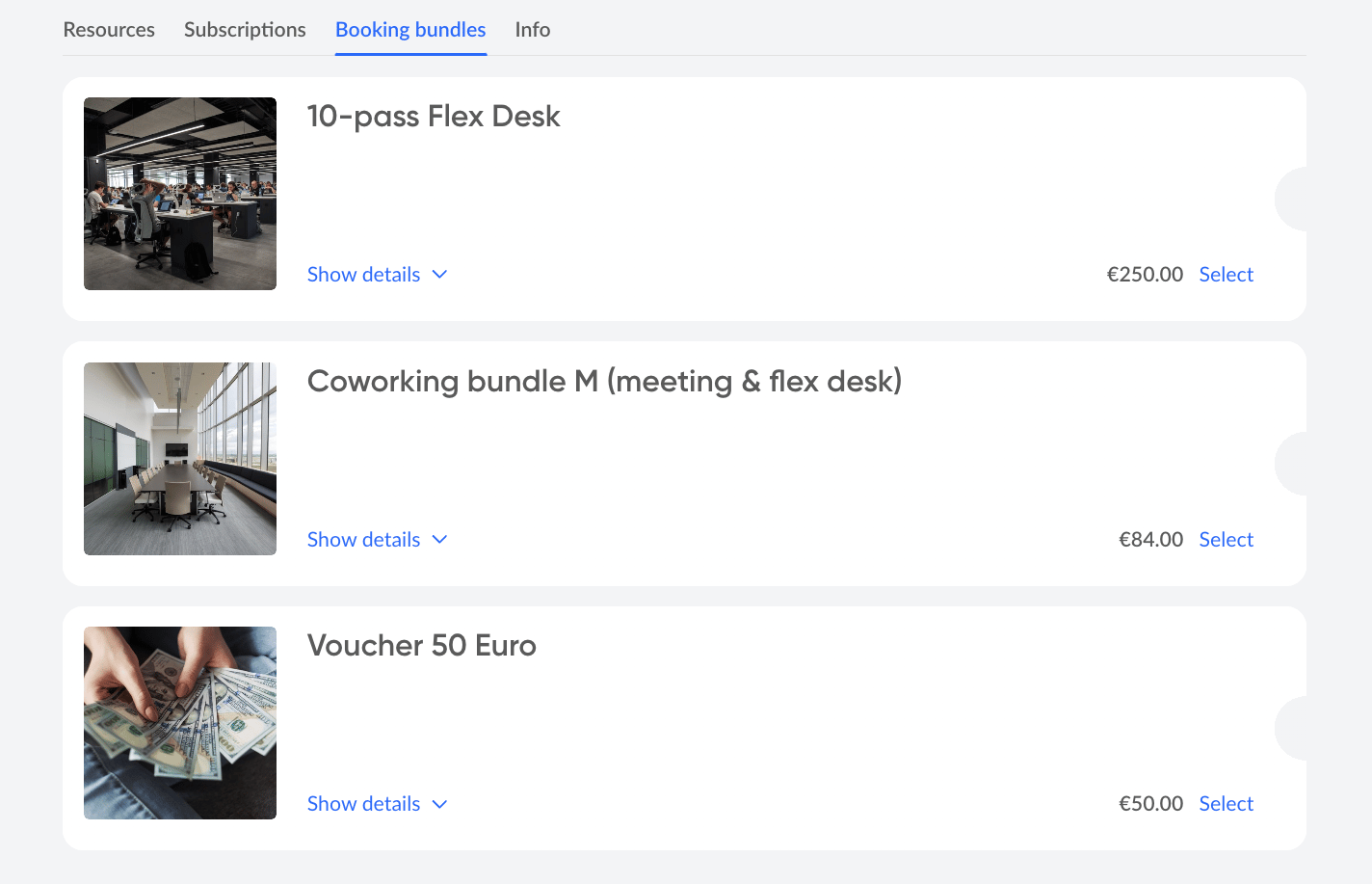
📦 Booking bundles
Booking quotas can also be combined into booking bundles and thus offered at a bundle price. Frequent applications are value vouchers or multiple tickets. An individual PDF (e.g. with a voucher design) can also be created and sent automatically for each package sold.You can find more in our helpcenter: https://docs.anny.co/en/articles/197837-booking-bundles-booking-codesImprovementsanny app
Discover the new and improved anny App 2.0!
We’ve been busy over the last few weeks reworking our anny app from the ground up and are proud to present version 2.0 to you today. Let me tell you this much: our beta testers already love the new version! Let’s dive straight into what’s changed:✨ What’s new
You’ll notice it straight away: The design of our new version has been fundamentally revised to fulfil the principles of our app: fast, smart and intuitive.We have collected a lot of feedback, corrected bugs and made improvements. Do you still have a suggestion for improvement or an idea? You can send us your comments here.🗺️ Improved maps
We have made the maps even clearer in the new version, and you can see more information at a glance. Intuitive filters allow you to see directly which resources are still available on the map.🎛️ More filter options
Filters are a good keyword: We have added some new filters. You can now filter resources by desired time and booking duration, properties and locations. In addition, you have direct access to the available slots of the resources and can book them with one tap.🚦See capacity utilization at a glance
Would you like to book a quiet workspace today that doesn’t have many users? Do you need a full working environment around you to get carried away by the work motivation? With our utilization indicator, you can quickly see how many people are working at different times. So you know what to expect.🛒 Familiar functions now also in the app
In the mobile app, you will now find many familiar functions that you already know from the web app, such as booking series, recurring bookings, interests & roles and the avatar builder. However, we have also hidden some features in the app that you will find later in the web app. Have you found any yet?The new version of the app is already available in the Google Play and Apple App Store. Download the update now on Android and iOS to benefit from the new features.
Improvements
Subsequent adjustment of personalized bookings
Your users have already booked but can’t attend and want to send another person - this isn’t a task for you anymore. Now, your customer has the possibility to change their personalization by himself and select, for example, another person. Your customer now has the possibility to change their personalization by themselves.Improvements
📊The new utilization widget
What is the key to optimal pricing?Precise data on the utilization of your resources. A new widget is now available in the dashboard to show you the utilization of your resources.📈Everything about the utilization of your resources at a glanceWe have added more filter options so that you can now make even more precise settings to get exactly the data you need.⚖️ Compare the utilization of your resourcesCreate multiple widgets to compare the utilization of your resources with each other, or to compare the same resource at different time periods.Learn more about the dashboard and widgets inside our help center: https://docs.anny.co/en/articles/101578-dashboard
New Feature
✨ Dynamic prices for your services and booking options!
Would you like to…- adjust your prices according to occupancy?
- offer discounts for early bookers or last-minute customers?
- grant discounts to a specific customer group?
- give discounts from a certain booking duration?
- increase or discount your prices depending on the season?
- adjust your prices based on the day of the week, e.g., the weekend?
- or combine everything directly?
- ⏰ Time factors: Offer special prices on certain days of the week, individual dates, at certain times or for a certain duration.
- 👥 Customer groups: Give certain customer groups discounted prices.
- 📊 Utilization: Adjust your prices based on the utilization of your resources.
New Feature
Seamless integration with Personio and HRworks
HR systems are used in many companies to simplify processes. For example, employees can enter when they are ill and everyone else is notified. With our new integration of the HR systems Personio and HRworks, anny is now also notified and can easily cancel bookings. Let’s take a look at what else these new integrations bring:🏃 Automatic cancellation in the event of absence
Are your employees absent but still have a seat booked in the office? You can now set that these bookings are automatically cancelled in the event of absence and the resources are released again.🏡💻 Synchronization of home office and office days
Synchronize your employees’ home office and office days directly from anny into your HR system. This means you can also see and record where the person is in the HR system.Want to know how to set up these integrations? Then take a look at our help center articles for Personio and HRworks.New FeatureImprovements
The biggest invoice update we’ve ever published 🚀
Today, we have something special for you: We have published our biggest update to date regarding invoices in anny. Curious to see what’s in store for you? Let’s dive right into it: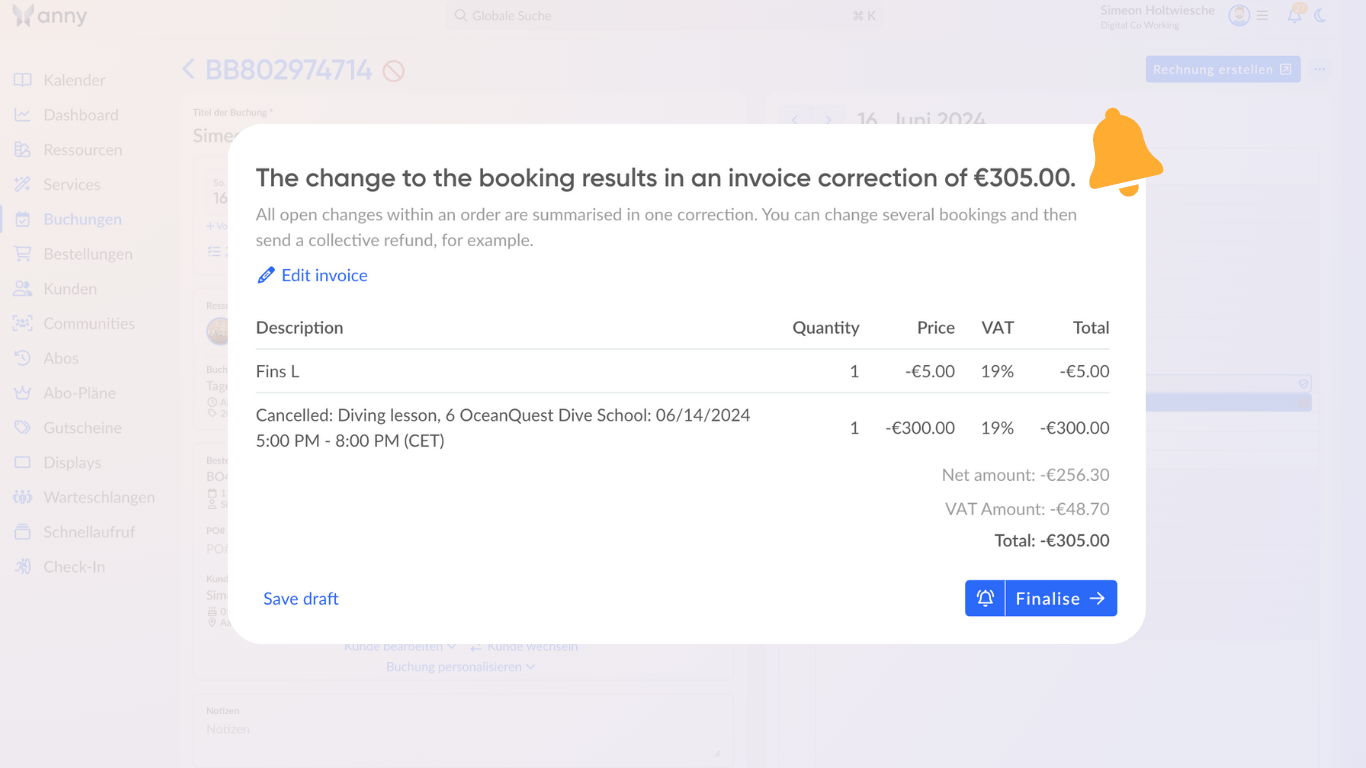
🔔 Change manager (notifications & individual refunds)
A new pop-up summarizes all changes and allows you to adjust them and activate or deactivate notifications. You can now also disable notifications for customers for all changes in bookings, orders, and invoices.For even more control, you can also create fully customized refunds or corrective invoices.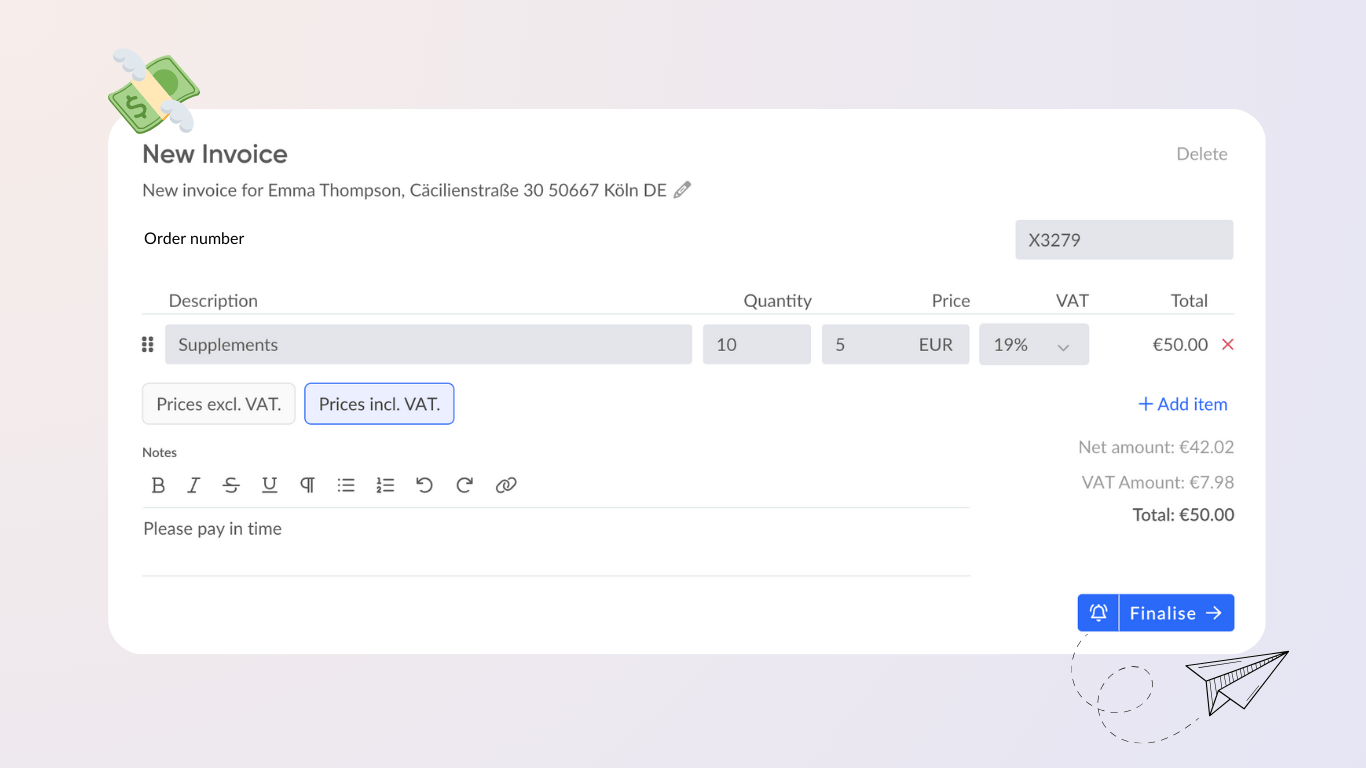
🖌️ Invoice designer
With anny, you can create new invoices for an order at any time. You retain full flexibility, as services can also be invoiced retrospectively, for example add-ons such as catering or equipment. You can now also create forms for customers or orders to display them on the invoices. For example, an order number or VAT ID number.For very special cases, you can also create invoices independently of bookings or subscriptions.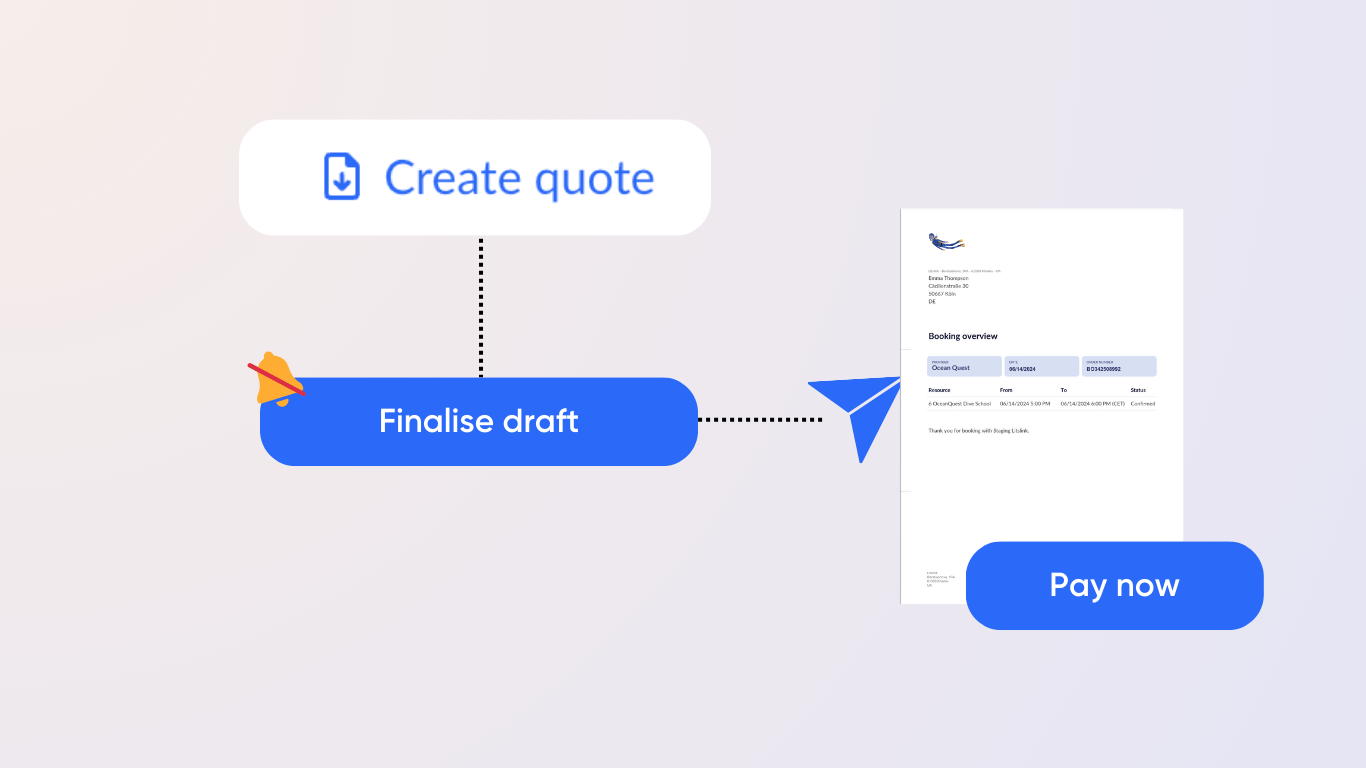
📄 Quotation creation
With the new quotation function in anny, you can save orders as a draft and create a quotation PDF. Once accepted, quotes can be converted into invoices and sent to your customers. With the practical payment link in the email, your customers can pay conveniently online.Further improvements- The order status has been simplified to “Draft” or “Completed”. For more information, you can show the “Invoice status” column in the order list.
- In addition to the PDF version, invoices are now also available as e-invoices in XML format.
Improvements
🇨🇭 TWINT Integration
Anny now supports the popular Swiss payment service provider TWINT for payments in Swiss francs. With TWINT, we now support ever 13 different payment methods.New Feature
2-way synchronization with Google Workspace
Link your Google Workspace resources such as meeting rooms or equipment directly to resources in anny via two-way synchronization. This allows your bookings to be synchronized in real time. Take a look at our instructions.Improvements
Add-On Optimizations
🎨 Enhanced Add-Ons Customization- Image and Group Uploads: Enhance the visual appeal of your add-ons by allowing the upload of images and creation of groups for better organization.
- Reorganized Settings and Price Simplification: Streamline your add-on management with a redesigned settings interface and a simplified pricing structure that eliminates confusion by limiting price to one mode (quantity, interval, or percent).
Improvements
Optimization of the admin tables
We have made it much easier for you to work with our data tables and added new filters and columns:- Filter by Community 👥: Filter customers based on their community affiliation for targeted data analysis.
- Community Column Revealed 🌍: A new “Community” column in the customer table provides instant visibility into customer community membership.
- Custom Field Spotlight 💡: Enhance table functionality by displaying user-defined fields in all tables, maximizing customization.
- Column Control Center 🛠️: Take control of table organization with the new table column manager, allowing you to customize column order and selection to suit your analysis needs.
Improvements
Upgrade for Custom Fields
🎯 Target-Oriented FormsCustom fields can now be queried not only at booking level, but also at customer and order level. This setting defines when and how often the data is queried at checkout and where it is subsequently saved.Example: A bike rental company offers groups the option of renting bikes. At booking level, customers can specify the desired frame size. At the order level, the rental company can then query the planned route to optimally adjust the tire pressure to the route conditions.🎭 Linguistic EnhancementsTranslated Field Names and Descriptions: Custom field names and form descriptions can now be translated into multiple languages.🛡️ Private FieldsHide from Checkout: A new option enables you to disable “Show in Checkout” for custom fields. This creates admin-only fields that can be used exclusively for internal purposes.New FeatureImprovements
Additional participants for bookings and booking confirmations per service
👫 Add additional participants to a booking
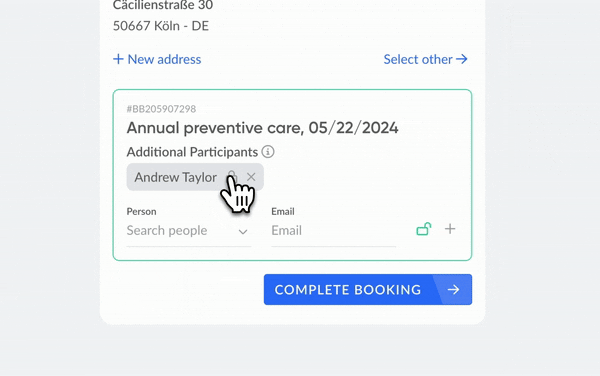
- Select the desired service and navigate to “Form”.
- Activate the “Allow additional participants” function. Below this, you will find various setting options to configure this feature according to your wishes.
❓Did you know that you can activate a manual confirmation process for bookings?
Previously, it was possible to control booking requests on a per-resource basis. With the new update, you can now also make this setting per service, which gives you more flexibility in handling your offers.You can activate this function as follows:
- Open the desired service in anny.
- Navigate to the “Advanced settings”.
- Deactivate the option “Accept all bookings automatically”.
New FeatureImprovements
Simply become multilingual
We have great news for you - in multiple languages! Greet your users in their language and make it even easier for them to book your resources. Let’s dive right in!🗣️ Your resources can now speak multiple languages
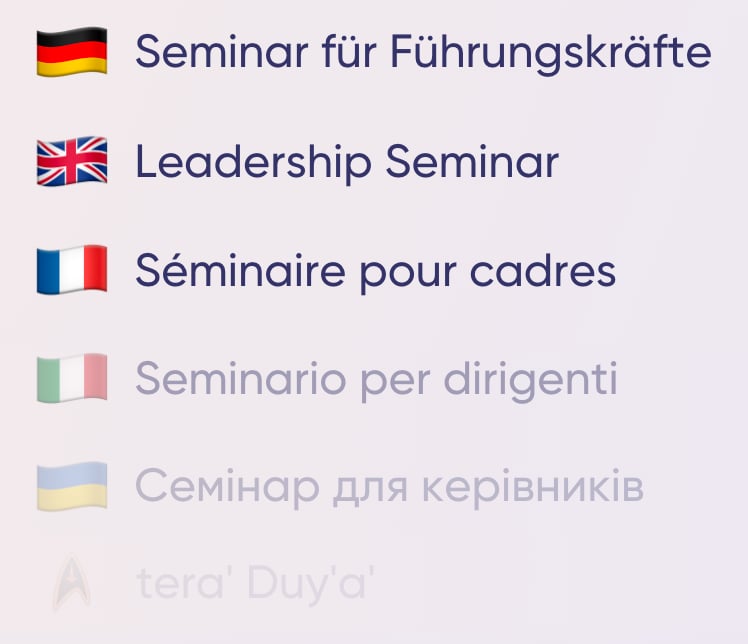
🌍 Extended language support
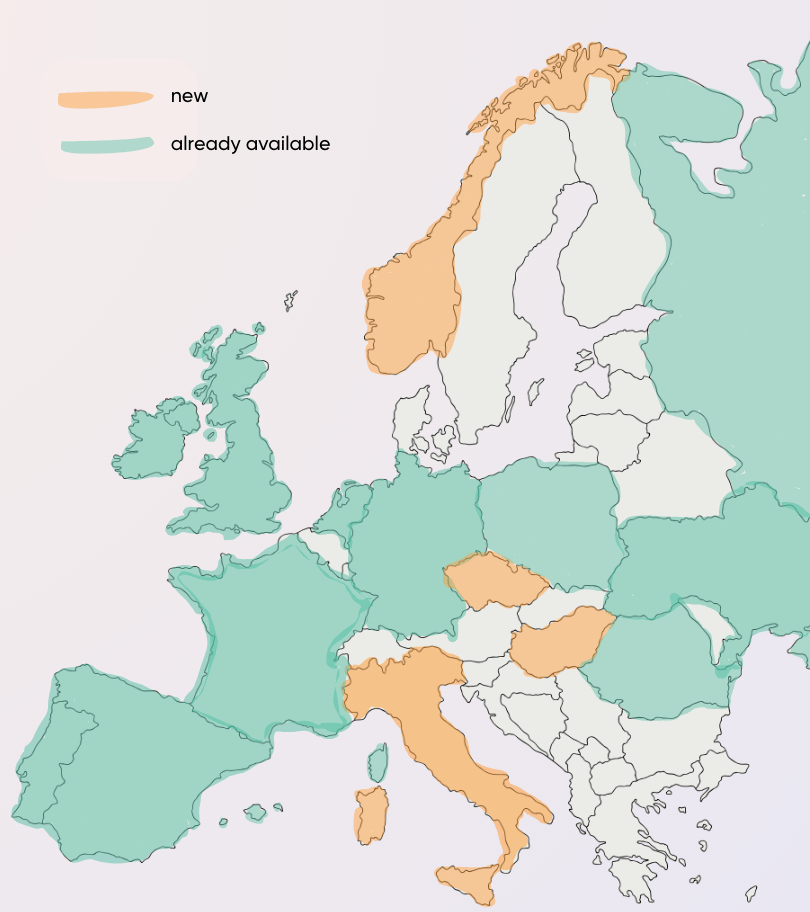
📅 Date formats for specific regions
No more confusion with dates! Users from the USA (en-US) now use the MM/DD/YYYY format, while users from the UK (en-GB) stick to the DD/MM/YYYY format.Improvements
Subscription and Invoice Management Supercharged!
We have exciting news for you! With our latest update, we’ve taken subscription and invoice management to the next level to optimize your processes and offer your customers an even better experience. Let’s dive right in:💸 Your subscription management has never been this easy
With our new subscription management features, you have more control over your subscriptions and the ability to customize them to your customers’ needs.- Shift the start date: You can now flexibly adjust the start date of a subscription.
- Pause easily: You can pause subscriptions with just one click.
- Decide when the subscription ends: You now have the option to cancel subscriptions at different times: immediately, at the end of the current period or after the minimum term has been reached.
- Price changes and discounts: You now have the option to flexibly adjust the prices and discounts in your customers’ plans - even after the subscription has started.
- Cancellation and refund of individual invoices: If something goes wrong, you can cancel and refund individual subscription invoices.
📝 New features in invoice management
We have also made adjustments to invoice management that will make your work much easier:You can now manually set invoices to “paid”. As soon as this happens, we will automatically inform the customer that the payment has been received.If you also need to modify the billing address, you now have the option to change it. As part of this adjustment, we will automatically create a new invoice and cancel the old one. In addition, future invoices will also be use the new address.Improvementsanny display app
anny Display App 1.0.5
A new version of the anny app is available. This update allows you to hide the QR-Code from the display app. This offers the advantage of using the app only as display without any interaction.Improvementsanny app
anny App 1.0.9
A new version of the anny app is available. This update provides two new features:Better Deep-Links
We improved the support for deep links into the anny app:- If the link is leading to another data region, we are automatically switching to this region
- If a login is required to view or book the resource, we are now forwarding the user to the login screen and redirect him back after the login to the resource
Improved Maps
We also improved the map that is used inside the app. The map is now loading even faster and doesn’t lead to app crashes.Improvements
Accept now payments via PayPal and 4 other providers
Did you know that anny can process both internal and external bookings and automate payment processing for you?Thousands of bookings are already paid online via anny every day. With our latest update, we have expanded both the payment options and the supported currencies.
🌟 Let your customers pay via PayPal
Your customers can now pay for their bookings easily with PayPal! PayPal Payments are automatically activated for you and are processed via Stripe Connect.
In addition to bookings, subscriptions in Swiss francs can also be paid via PayPal. This gives you a flexible alternative to credit card payments in Switzerland.
💰 New payment methods and currencies for your customers
In addition to PayPal, we are introducing further new payment methods:
- EPS for customers in Austria
- blik for customers in Poland (supports PLN)
- Przelewy24 for customers in Poland (supports PLN & EUR)
- Bancontact for customers in Belgium
New Feature
Expand your profile and find exactly the people you need
At anny, we love the versatility of communities and teams. Our latest update is therefore specifically designed to strengthen collaboration, communication, and interaction.👤 Extended user profilesYou can now fill your profile with even more information: from your job title and department to your skills, roles, and interests. Not only can you personalize your profile, but you can also get to know the community better and network and collaborate in a more personalized way.🔎 Find exactly the person you needFind people directly using keywords in their bio, job title or department. You can also filter directly by skills: for a targeted search. This means you always know where the nearest first-aider is located, or where you can be found as an anny expert.🎯 See the top skill directlyYou can also see a user’s top skill highlighted on each profile picture. This allows you to see at a glance who has what expertise. For example, you want to know where a dog is in the office? Simply search for a dog emoji on the map.So, what are you waiting for? Expand your profile now and add your skills, roles, and interests.Improvements
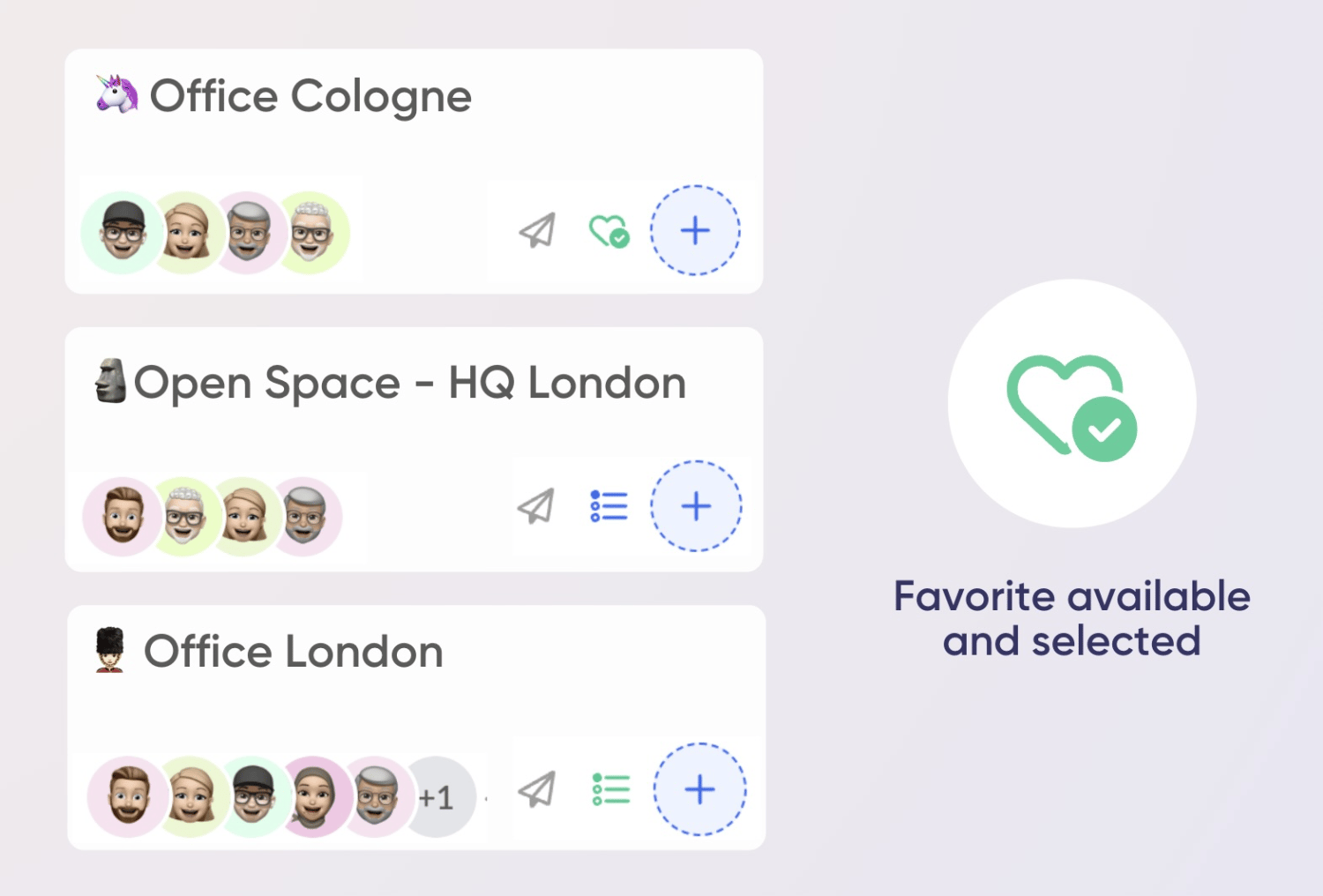
Favourite your preferred Child-Resources in anny
In anny you can already favor your preferred resources with just one click, such as your preferred meeting room or your favorite office. These are then displayed in your weekly planner, and you can book them quickly and easily. You can also manage your favorites on the favorites page.From now on, you can also favor child resources. Your favorite child resources are automatically selected in the weekly planner when you book, so you can book your favorite place with just one click per day.
New FeatureImprovements
Save last Map Position, Mobile Reminders for Booking Reminders & New Booking Page Button
📍 Save the latest position on the map automatically
🗺️ Resume where you left off: The week planner map now remembers your last viewed location automatically. This means that when you return to the map, it will automatically zoom in on the area and the layer you were previously exploring.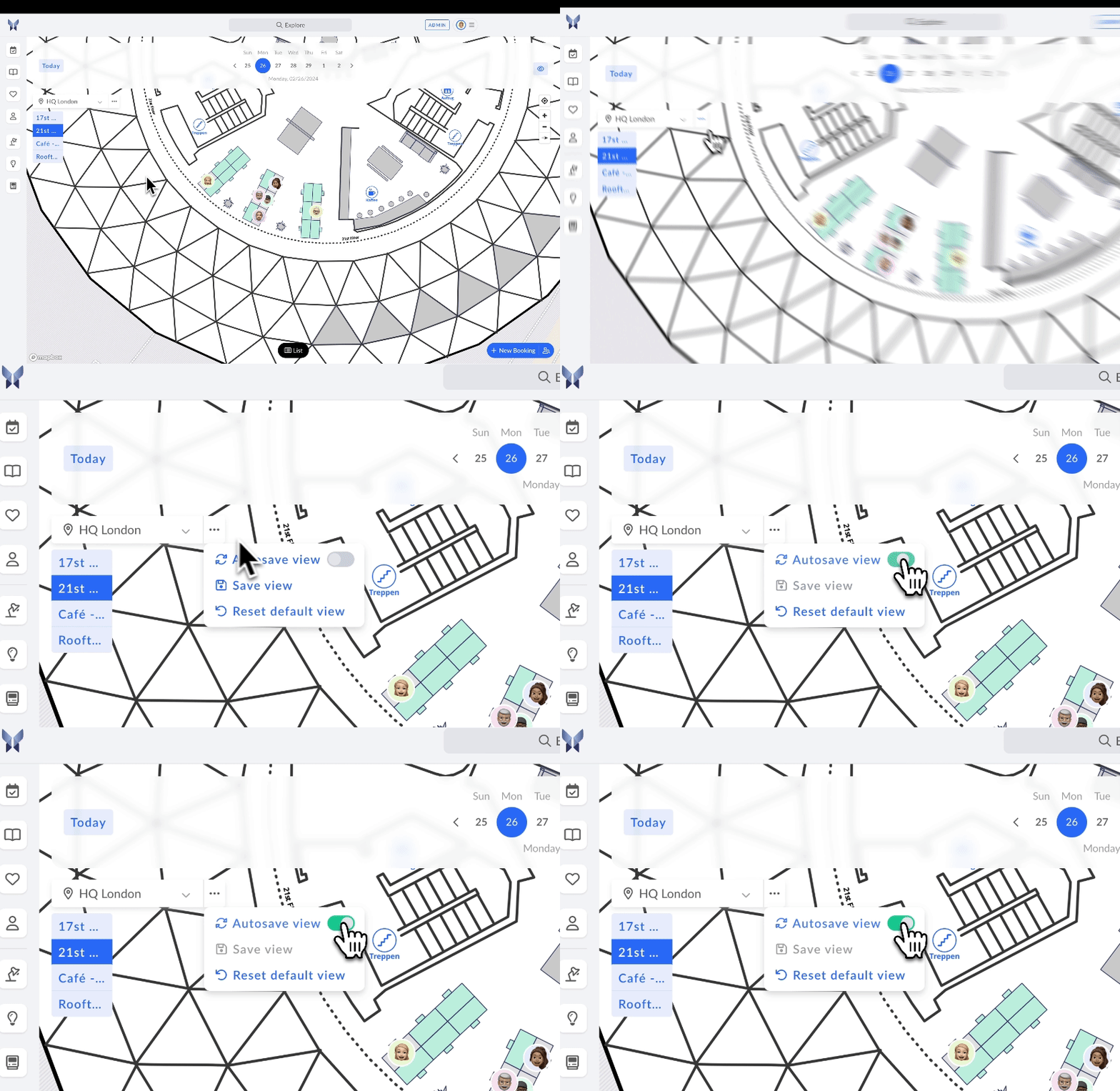
🔔 Mobile notifications for booking reminders
📱 Stay in the Loop with your customers: We’re excited to introduce the option to enable WhatsApp and SMS notifications for booking reminders for your customers. Now, they can receive timely reminders about their upcoming bookings via their preferred communication channels and not only via mail.Ensure that your customers never miss an appointment again and provide them with a convenient and personalized experience. We have also enabled this feature for self-check-in notifications.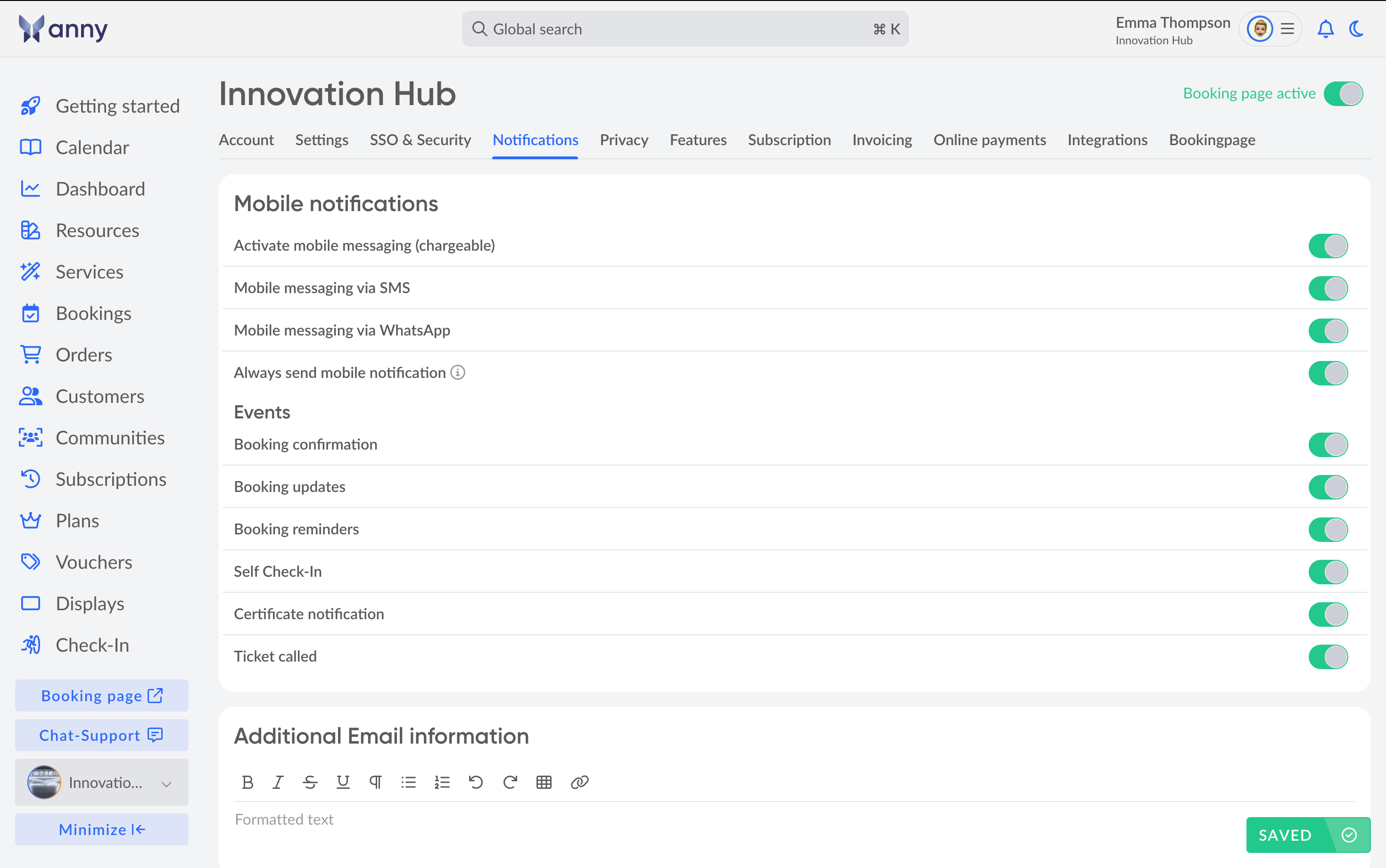
🌐 New booking page button
🖱️ On-Click access to booking links: Say goodbye to the hassle of searching for booking page links! With our new booking page button, you can now access all booking page and community page links in one convenient place.Simply click on the button to open a modal window that displays all the relevant links, making it easier than ever to manage your bookings and connect with your community.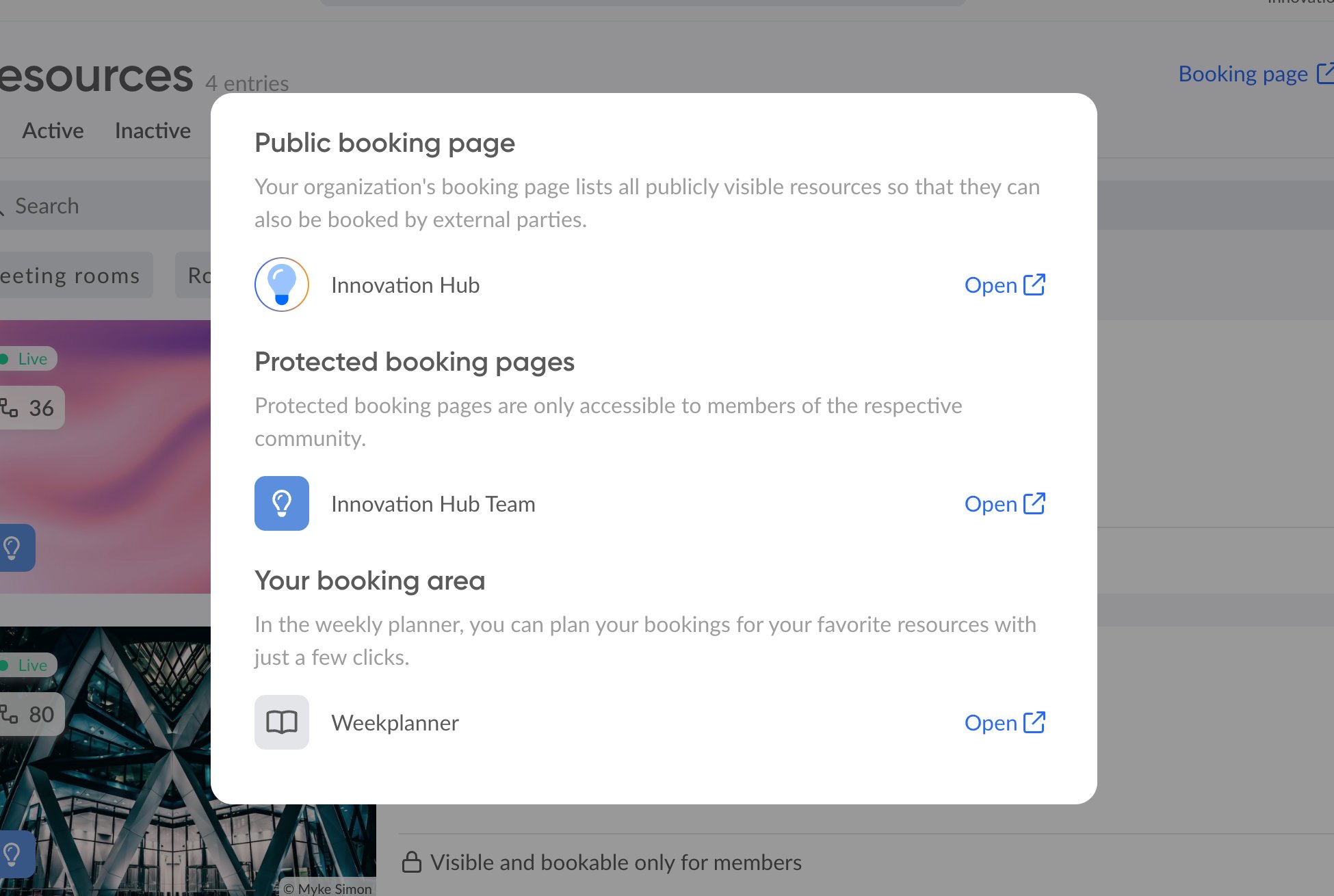
Improvements
New Version of our Outlook Add-In
We have just released version 1.1.0 of our Outlook Add-In for Microsoft. This version brings significant performance optimizations and is now also compatible with older versions of Outlook. The update will automatically rolled-out by Microsoft over the next days.New Feature
Introducing anny Display
We recently launched the anny mobile app, and now we’re excited to introduce our second app - anny Display! 🎉Visualize digital bookings in the real world and get insights into the availability of your resources at a glance.How can I use the app?- As a Room Display: Install any tablet at your meeting room and use the anny display app as a status indicator and for ad-hoc booking.
- As a Wayfinder: Use a larger display in the entrance area to show an overview of various resources in real-time.
- As a Booking Terminal: Whether at the entrance of your office or in the library - with anny Display, ad-hoc bookings of workspaces, as well as check-ins are faster than ever.
- Visualization of Availability: Avoid interrupting ongoing meetings with live updates on free and reserved rooms.
- Flexible Booking Options: anny Display enables seamless ad-hoc bookings and planned reservations – anonymously, with a QR-code pass, or via NFC.
- Check-In & Check-Out: Booked a room but not using it? Meeting ended earlier than planned? Automatically release capacities - for optimal utilization and use of your resources.