

This page is about the add-ons of your anny plan, meaning what you pay anny. Products and extras your customers add to a booking are covered in Products & additional options.
What needs an add-on?
No add-on needed for:
- Resources with the status Live for viewing, Internal for setup or Archived. Learn more in Resource status.
- A resource with child resources. Only the child resources need an add-on here.
- Anything during your testing period.
Included add-ons and prices
Every plan includes some add-ons. Extra ones cost a fixed price per month or year. Some plans have tiered prices: from a certain number, a lower price applies to all add-ons of that type. Compare plans and the Change subscription dialog show what your plan includes and what an extra add-on costs.View your add-ons
Open Account → Plan & Billing → Team plan. Under Usage you see how many add-ons of each type are in use, for example 8 of 21 assigned, and below how many are still free (13 free to assign) or None free. If add-ons are missing, it also says, for example, 3 without an add-on. Click Add-ons in detail to see which resource, terminal or agent uses which add-on and since when. An add-on nobody uses is listed as Not assigned.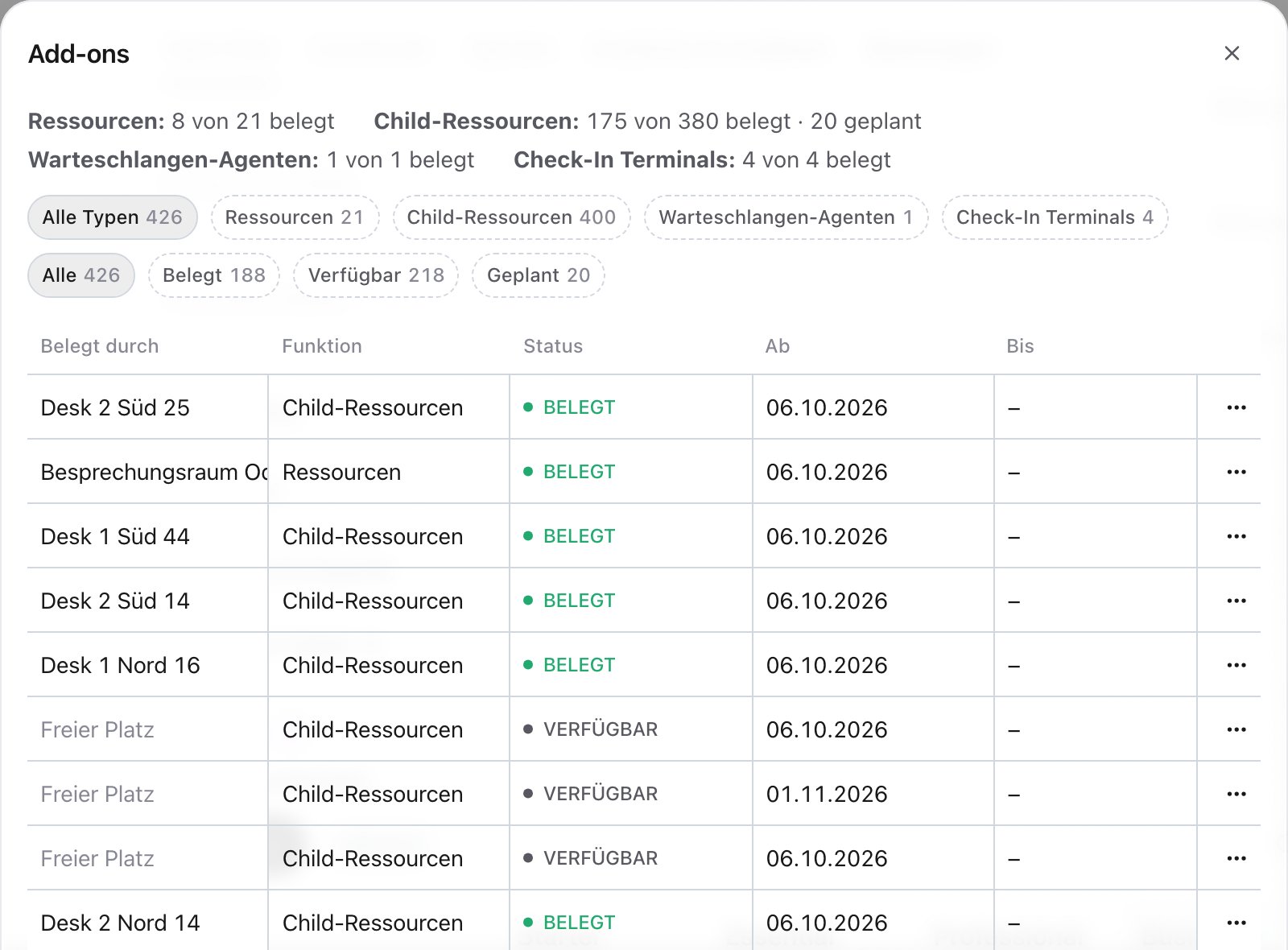
Add or remove add-ons
For a single extra add-on, click Add next to the count under Usage. To change several add-ons or types at once, click Change subscription in the Team plan tab and change the number under Add-ons. The preview shows the prorated amount for the current period and the new price. How do I change my anny plan? has the steps.- Adding takes effect immediately or on a date you choose.
- Removing also takes effect immediately or on a date, for example at the end of your billing period. It only works for add-ons that are currently available. If a resource uses an add-on you no longer need, set the resource to a free status or archive it first.
When all add-ons are in use
When you enable bookings for another resource or open another terminal, anny shows, for example, All resources in use.- The button, for example Add resource, buys another add-on in your plan. Then you continue right away.
- If your plan offers no more add-ons of this type, the button reads Upgrade plan. You then switch to a plan that includes more.
When an add-on is missing
anny never raises the number of your add-ons by itself. If you use more resources or other units than your subscription has add-ons for, for example after the testing period ends or after a downgrade, anny shows a notice such as 2 resources not in your subscription at the top of the admin, with the date they’ll be disabled. Affected resources carry the Not in subscription badge.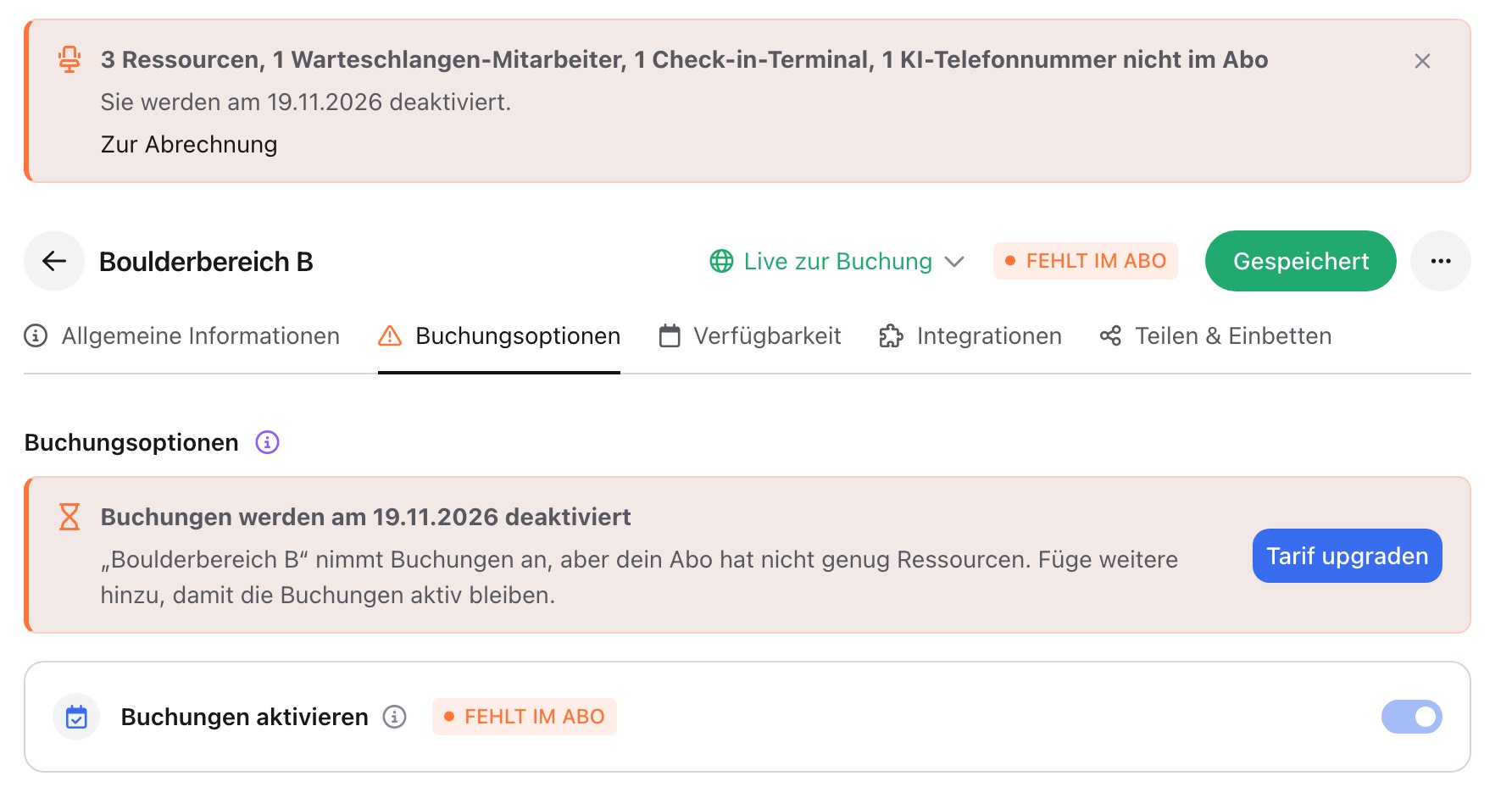
- Resources stop taking new bookings and switch to Live for viewing.
- Queue agents become inactive, check-in terminals are closed, AI phone numbers are released.
Resources nobody can book yet get no grace period: if a resource without an add-on is Internal for booking, or your booking page is still inactive, it stops taking bookings right away. There is no notice and no email. Add an add-on and enable bookings again afterwards.
If a type is still billed by usage
For some existing subscriptions, anny still bills single types, for example queue agents, by actual usage. In the Change subscription dialog they’re listed under Usage-based billing with the number you currently use. Nothing changes for you: usage is billed automatically. Contact support if you want add-on billing for them too.FAQ
Does a resource that's only there for viewing cost anything?
Does a resource that's only there for viewing cost anything?
No. Resources with Live for viewing, Internal for setup or Archived don’t need an add-on.
I have a room with 10 desks. How many add-ons do I need?
I have a room with 10 desks. How many add-ons do I need?
10 child resource add-ons, one per bookable desk. The room itself doesn’t need a resource add-on because it has child resources.
What happens during the testing period?
What happens during the testing period?
During the testing period you don’t need add-ons. When it ends, your chosen plan applies with its included add-ons. If some are missing then, you have 7 days from the end of the testing period to add them.
Are bookings deleted when an add-on is missing?
Are bookings deleted when an add-on is missing?
No. Existing bookings stay. The resource only stops taking new bookings until you add an add-on.