

What the anny Agent can do
Set up
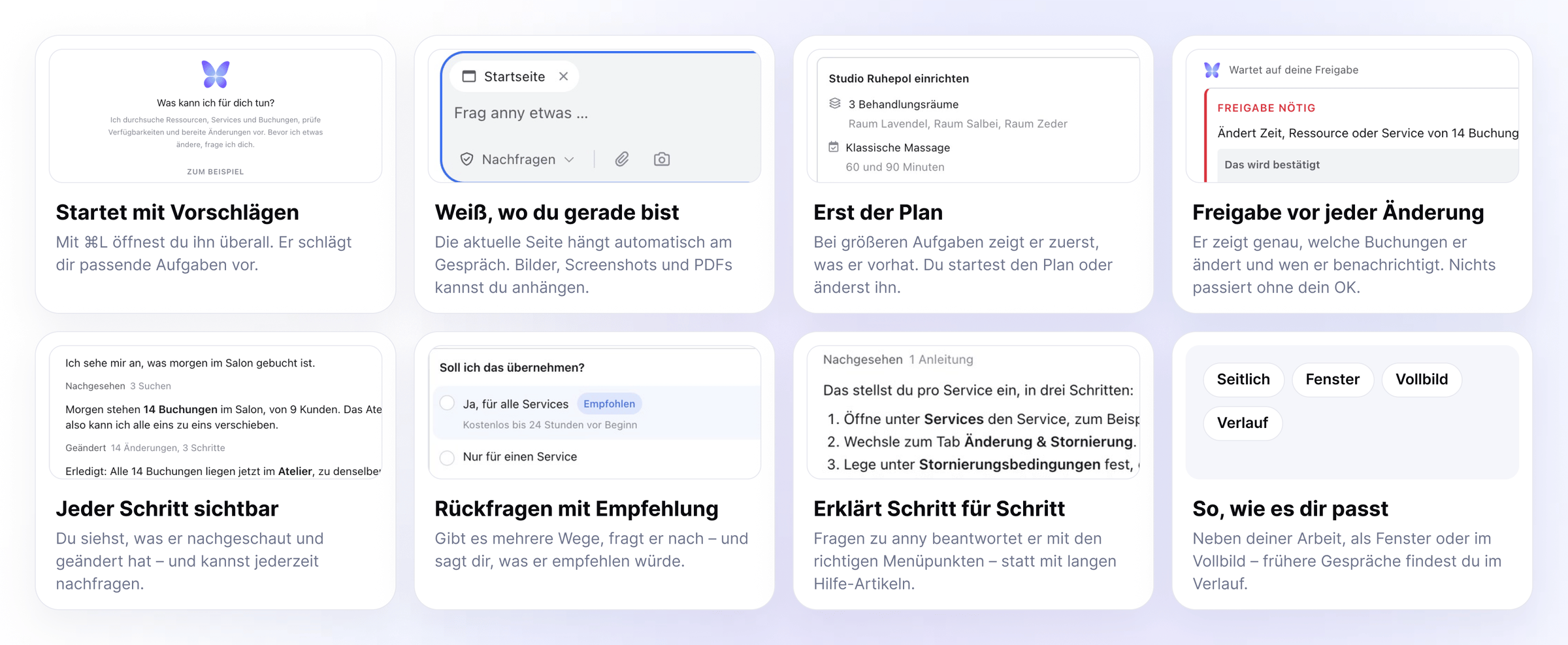
Describe what you offer, and the agent builds it in anny: resources, services, opening hours, and your booking page.“I’m opening a massage studio: three treatment rooms, classic massage for 60 and 90 minutes, hot stone for 75 minutes. Open Monday to Friday 9 am to 8 pm, Saturday 10 am to 4 pm.”For larger tasks it first shows you a Plan with everything it wants to create and the assumptions it made. Go ahead starts it, Change something lets you adjust it. If you do nothing, the plan starts on its own after a short countdown. You still approve the individual changes.
One description becomes three rooms, three services, and the opening hours.
Get things done
Give it tasks from your daily work, including ones that affect many records at once.“The Salon is closed tomorrow. Move all bookings to the Atelier and let the customers know.”The agent checks what is affected and shows you exactly which bookings it changes and whom it notifies. It only carries out the change after your approval.
14 bookings move, 9 customers get an email with the new room.
Explain
Ask it how something works in anny. It answers with the right menu items instead of long help articles and offers to set it up for you right away. If there are several ways, it asks and tells you what it would recommend.“How do I make cancellations free of charge up to 24 hours before the start?”
Three steps as the answer, and the offer to apply it directly.
- Read images and PDFs: attach screenshots, photos, or documents to your message, for example a price list or an error message.
- Bring in support: if it gets stuck, it creates a support request for the anny team. That is why the Support button opens the agent.
Getting started
Open the agent
Describe your task
Review the plan and changes
Check the result
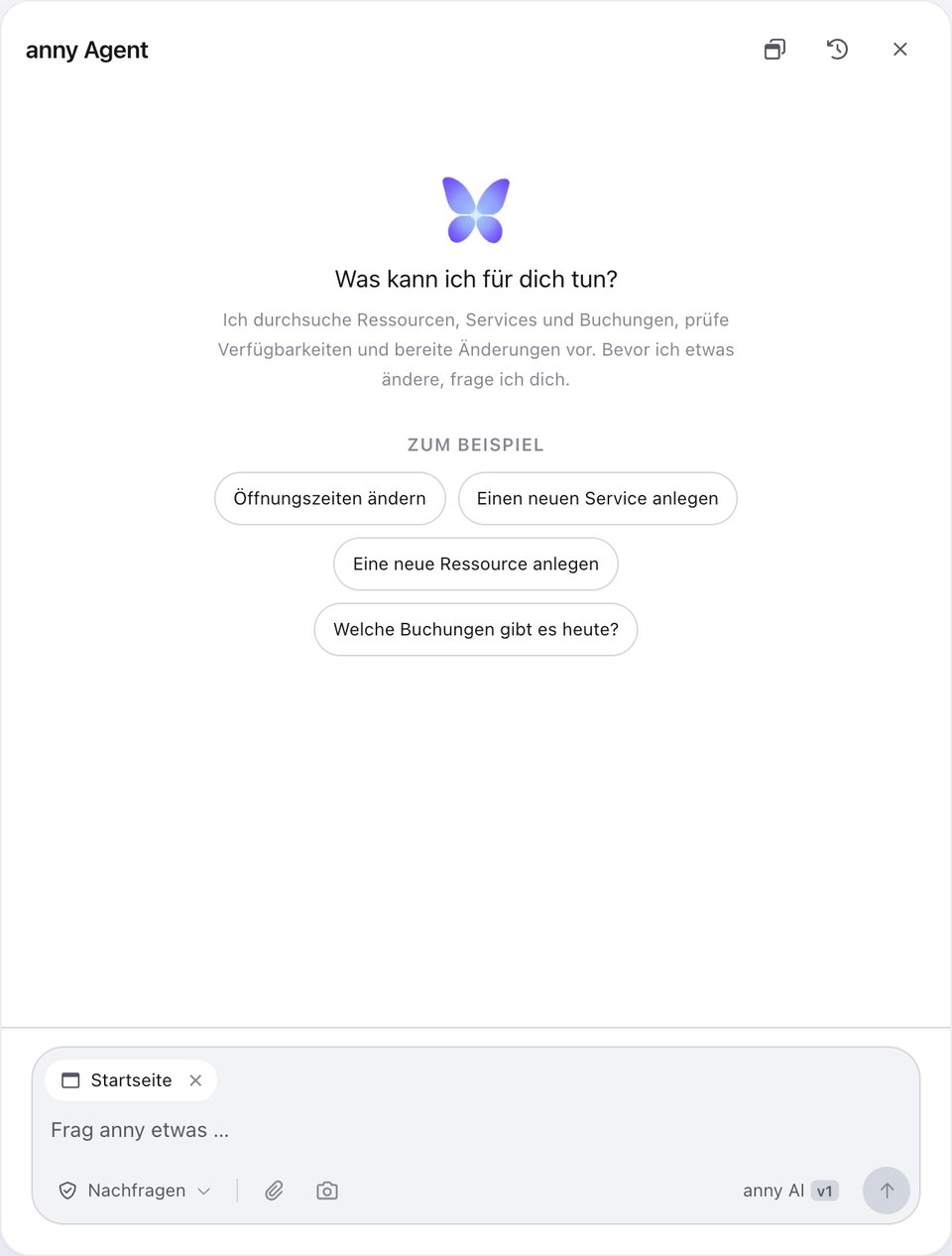
The start: suggestions that fit your account.
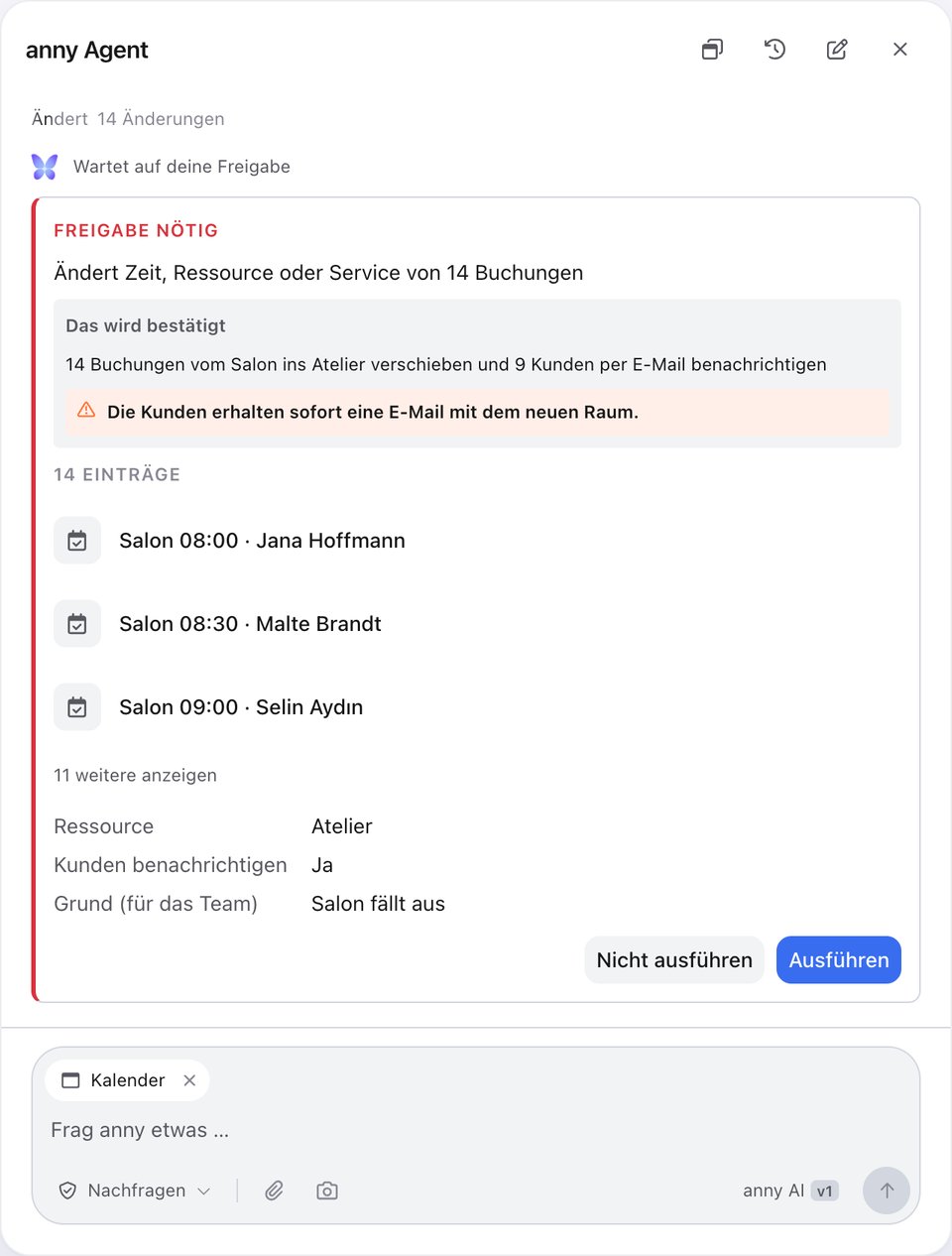
Before every change: your approval.
Controls in detail
Open and close the agent
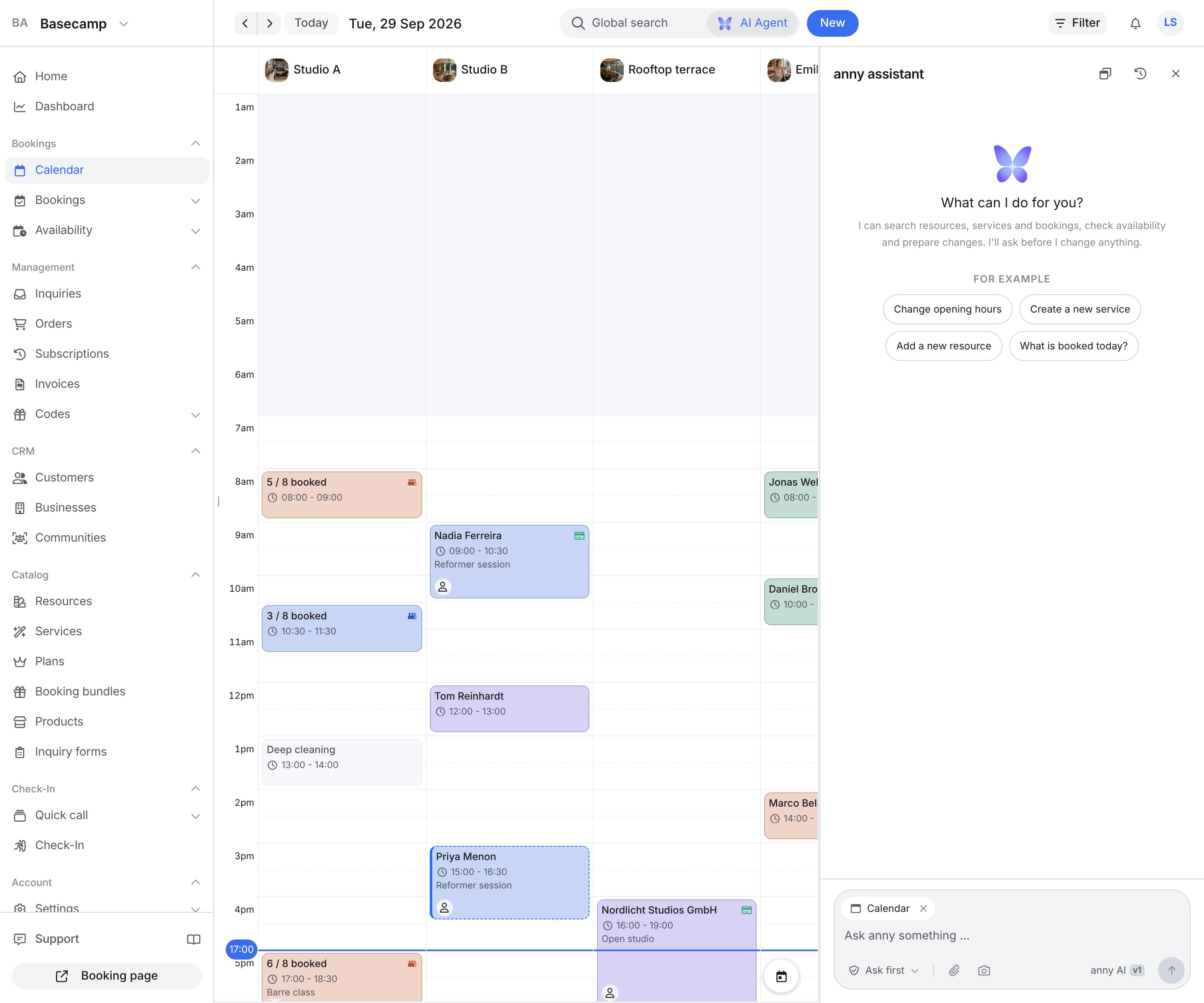
Next to Global search is the AI Agent button. One click opens the agent, a second click closes it again. The shortcut is on the button: ⌘L on a Mac, otherwise Ctrl+L. Other ways to open it:- On the home page (Home in the sidebar), through the field “What can I help you with?”.
- At the bottom of the sidebar, through Support.
- In Global search, through the row Ask anny AI Agent. What you already typed appears under it.
- On an info-icon hint, through Ask agent. The text lands in the input. You send it yourself.
Ask a question
In the window the agent shows suggestions for the current page. Alternatively you type your own question into the input and send it with Send. The paperclip attaches up to five images (PNG, JPG, WebP, GIF) or PDFs, each file at most 10 MB. Stop cancels a running answer. Under a finished answer are Helpful and Not helpful. You can follow up in the same conversation.Approving changes
Next to the input is Approving changes. The default is Ask first.Layout
Switch layout offers Modal, Full screen or Sidebar. On a phone the agent always opens across the whole screen. The header has no Switch layout. If you follow a link from the conversation into the admin, the agent closes so the page is visible.Past conversations
Past conversations opens your earlier chats in this account. New conversation starts an empty chat.You stay in control
- Approval before every change: in the default Ask first mode every change waits for your go-ahead. Only if you switch on Automatic yourself does it apply changes without asking — and even then not for settings of the whole organization or for final actions.
- Your permissions apply to it too: the agent works in the account you are logged in to and can only do what your role allows you to do.
- Everything is traceable: what the agent changes, writes, or sends appears in the activity of the record with the label via AI Agent.
Track changes
Changes the agent makes in the admin show up in the activity log. On a record the timeline is called Activity. You find it in the details of a booking, an order or a customer. On a resource or a service you open it with the Activity action. Click Filter and choose Changes. The entry carries the label via AI Agent. That is how you see what did not come from someone on your team. Expanded, you see the old and the new value and, where available, the agent’s reason.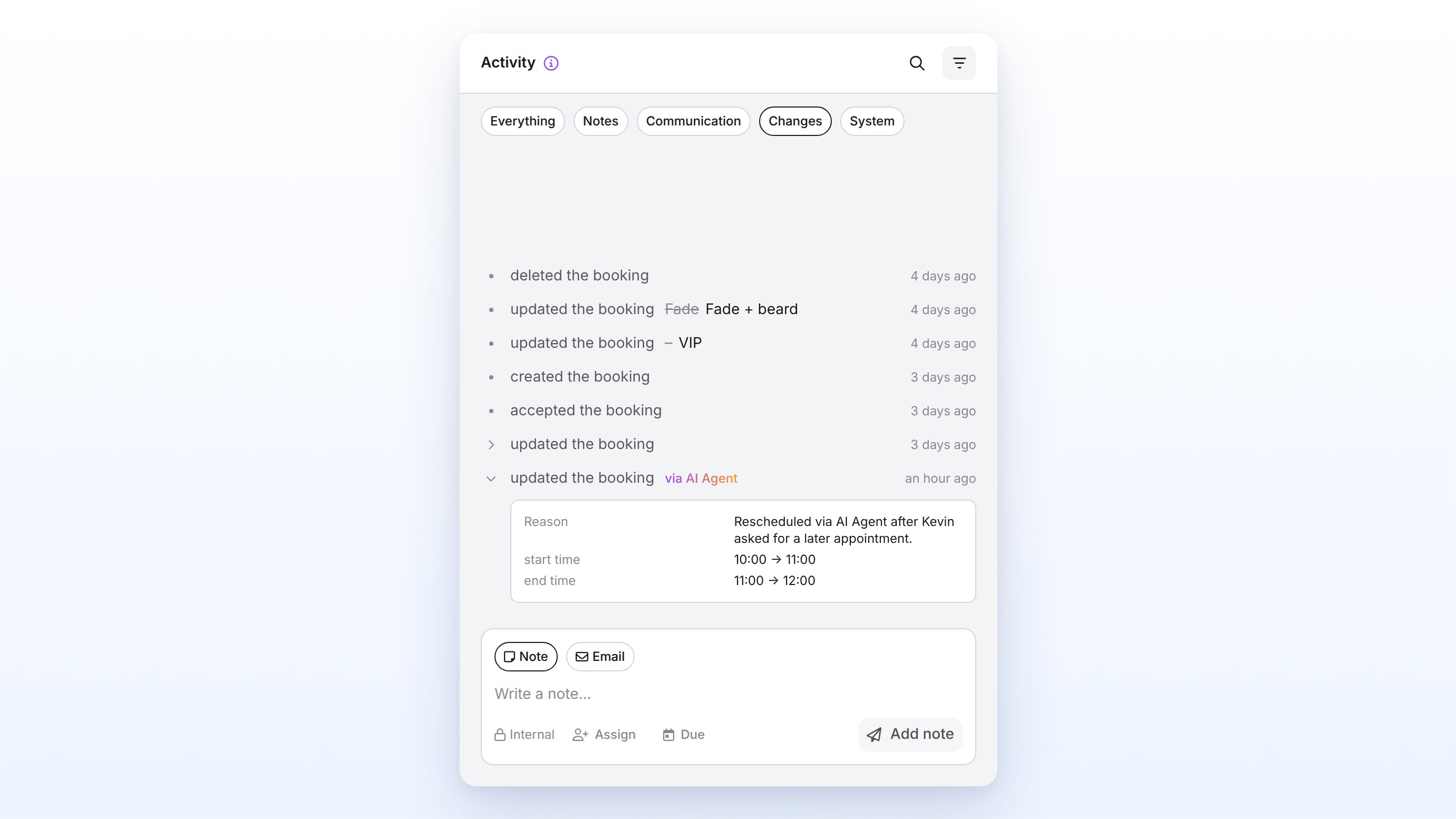
FAQ
Costs
What does the anny Agent cost?
What does the anny Agent cost?
And after the beta?
And after the beta?
Do I need to activate or buy the agent?
Do I need to activate or buy the agent?
Data protection and security
Where is my data processed?
Where is my data processed?
Does my data go to OpenAI or other US providers?
Does my data go to OpenAI or other US providers?
Can the agent change something without my approval?
Can the agent change something without my approval?
Can the agent do more than I can?
Can the agent do more than I can?
What data does the agent see?
What data does the agent see?
Can I see what the agent did?
Can I see what the agent did?
Where can I find more about anny's security?
Where can I find more about anny's security?
Other questions
Where did the support chat go?
Where did the support chat go?
Can I use anny with ChatGPT, Claude, and others?
Can I use anny with ChatGPT, Claude, and others?
Can I turn the agent off?
Can I turn the agent off?
Troubleshooting
I cannot keep writing in the conversation
I cannot keep writing in the conversation
The bar says anny is waiting
The bar says anny is waiting
Automatic is gone after a reload
Automatic is gone after a reload