

When does a checkout become a request?
The request keeps what the customer chose: start date, number of seats, the chosen resource and the discount of a discount code. Handle it like any other inquiry: reply, send a quote or close it. See Inquiries & inquiry forms.
If the Regpit integration is active, a request for a plan with Confirmation required stays a subscription with the status Requested. The top of the subscription then shows that it is awaiting a decision, with Confirm and Reject. Confirming starts the first billing.
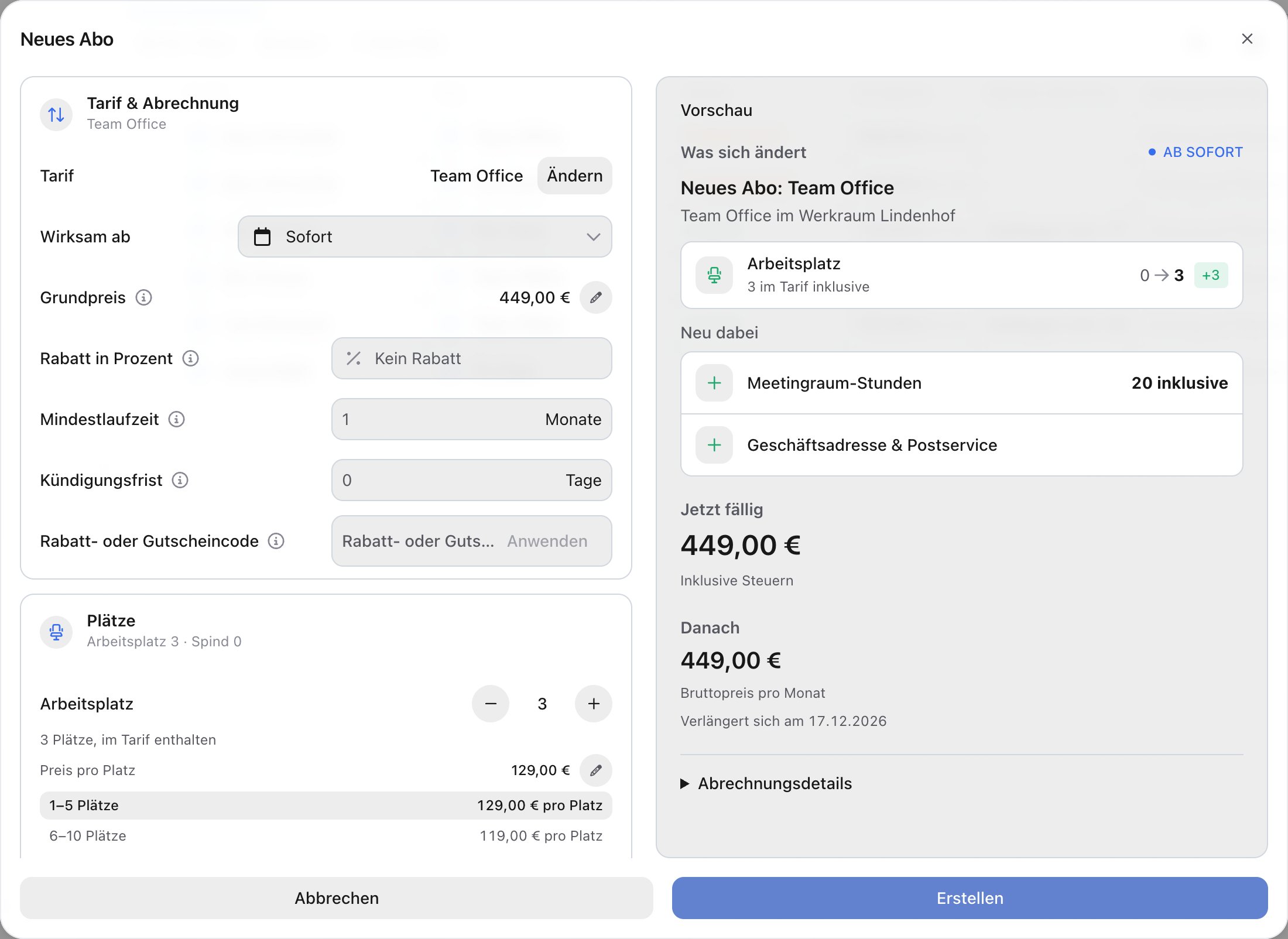
Create a subscription for a customer
Use this for existing contracts, for customers without their own online access, or to set up a subscription right after a phone call.1
Open the dialog
Open Management → Subscriptions and click New subscription.
2
Choose the plan
Choose the plan from the overview. Plans are sorted by group. With Change you can pick another plan later.
3
Choose or create the customer
Under the customer field, search for an existing person or create one. The person does not need to register with anny.
4
Set the seats
If the plan has seat-based benefits, set the number under Seats. Included seats and volume tiers are shown right below.
5
Start, discount and payment
Under Billing, choose the start date (Immediately or another date). Optionally enter a Percentage discount or a Discount or gift card code. Choose the customer’s Payment method or Pay by invoice, and add a Billing email if needed.
6
Review and save
The Preview on the right shows what is Due now and what the subscription costs After that per period. Click Save. The customer receives an email and can claim the subscription into their own account.
FAQ
Where do I find older subscriptions with the status Requested?
Where do I find older subscriptions with the status Requested?
Under Management → Subscriptions in the Requested view. New requests without Regpit arrive under Inquiries.
Is anything charged for a request?
Is anything charged for a request?
No. Billing only starts once the request becomes a subscription.
Can I choose a start date in the past?
Can I choose a start date in the past?
Yes, up to 12 months back. Choose another date under Billing. Billing starts from that date, including the billing periods that have already passed.