

- choose which events notify you
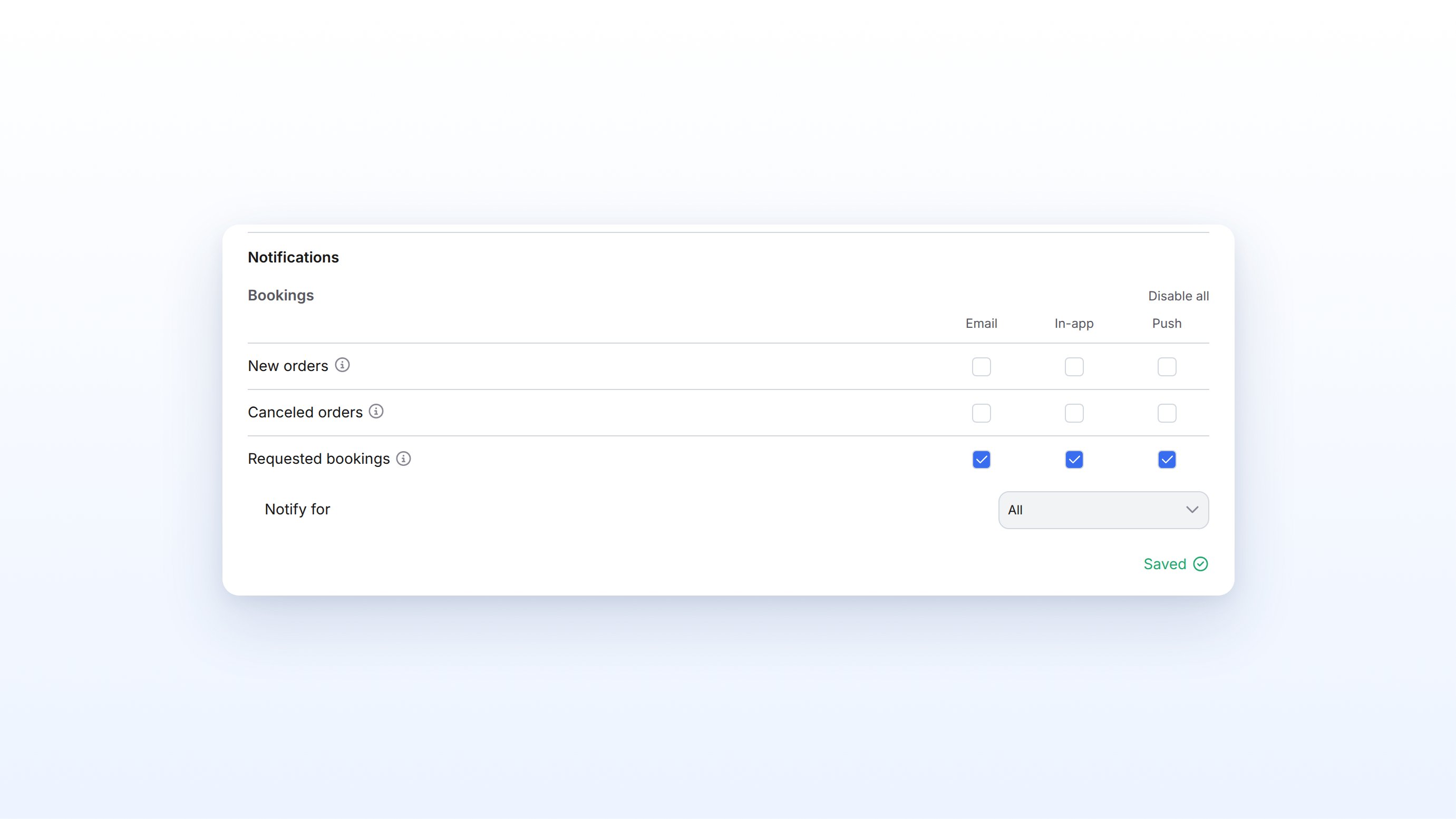
- choose per event whether you are notified by Email, In-app, or Push
- limit notifications to specific resources or subscription plans
- as Super Admin set the same options for other admins
Typical use cases
How admin notifications work
The settings belong to the person in the organization, not to the account as a whole. Two paths lead to the same settings:- Your profile: Under Profile & Notifications, in the Notifications section, you change only your own settings.
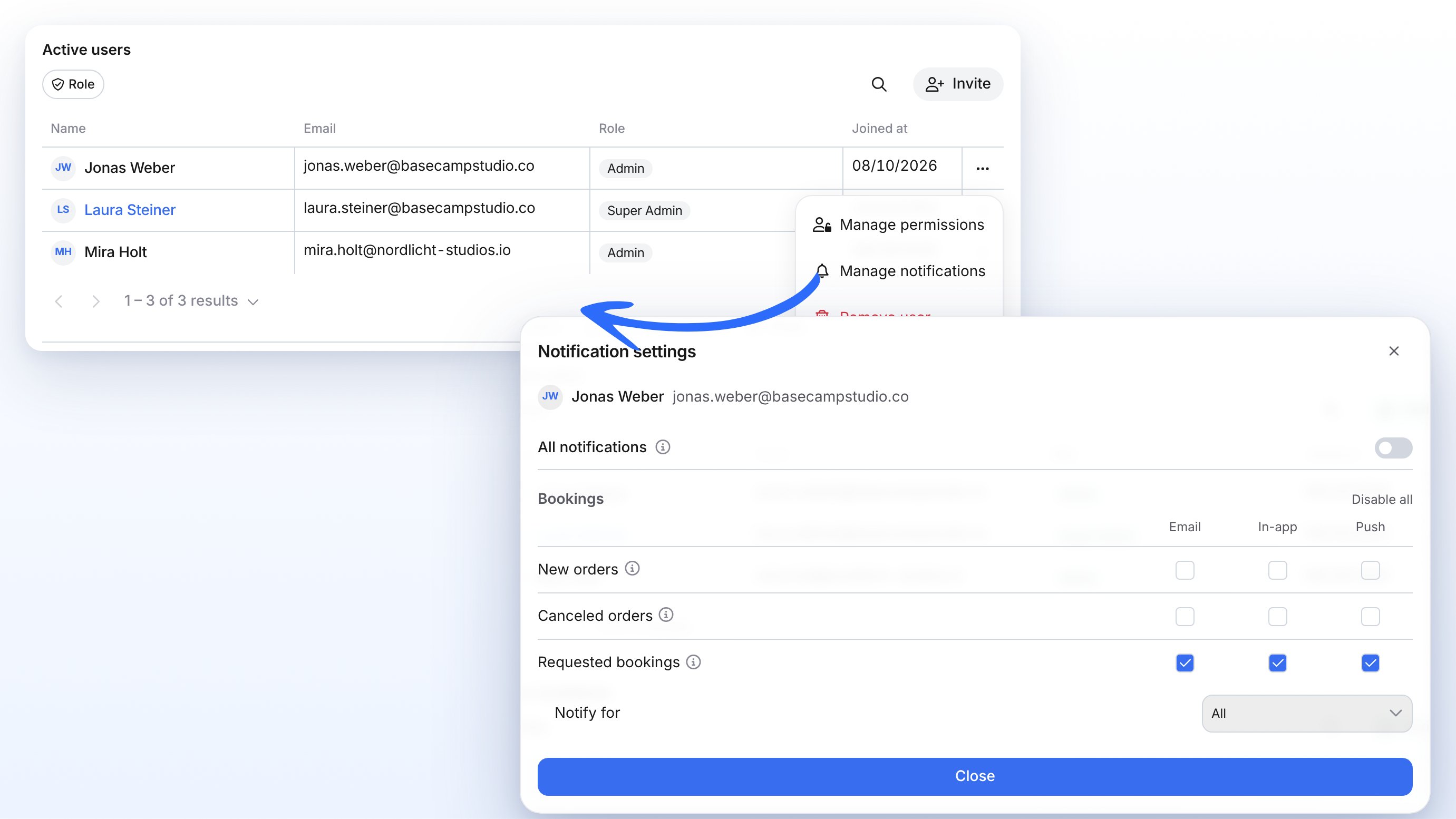
- User management: As Super Admin you open Manage notifications via the three dots and set the values for someone else. Here you also get All notifications.
Set your own notifications
1
Open your profile
Click your avatar in the top right and select Profile & Notifications. Scroll to the Notifications section.
2
Choose categories and channels
Go through the sections and tick or untick Email, In-app, and Push. Under Relevant resources you can pick individual resources. If the Subscriptions and memberships app is active, the Subscriptions section appears as well, with the Subscription plans selector.
3
Enable browser notifications (optional)
Push notifications reach you in the anny app. To also receive them in your browser, click Enable browser notifications.
Set notifications for other admins
You see Manage notifications when you are allowed to update the organization. For the standard roles, Super Admin has that right. Other admins only set their own profile.1
Open user management
In the sidebar, open Account → Admin users. You land on Admin User management on Active users.
2
Open the person's menu
In the row of the admin you want, click the three dots and select Manage notifications.
3
Set the options
The Notification settings dialog shows which notifications this person receives. All notifications switches every visible category on all channels at once. After that you can adjust individual checkboxes and Relevant resources.
4
Close the dialog
Every change is saved immediately. Click Close when you are done.
Settings and options
The settings in the dialog match those under Profile & Notifications. In addition, the dialog has All notifications.
Limitations
- Manage notifications appears only if you can update the organization. The standard Admin role does not have that right.
- You cannot edit admins of another organization.
- All notifications exists only in the dialog for other users, not under Profile & Notifications.
- The Subscriptions section is missing if the Subscriptions and memberships app is off. The AI section is missing without anny AI Agents.
- The Notify for lead time applies only to the four booking categories above, not to package sales, subscriptions, dates, payments, integrations, activity, or AI.
- These settings control notifications to admins. Extra copy in customer emails lives under Configure Notifications. SMS, WhatsApp, and Telegram live under Mobile Notifications.
FAQ
Can I change another admin's notifications?
Can I change another admin's notifications?
Yes, if you can update the organization (standard role Super Admin). Open Account → Admin users, click the three dots in that person’s row, and select Manage notifications.
Why do I not see All notifications in my profile?
Why do I not see All notifications in my profile?
The master toggle exists only in the Notification settings dialog when you edit someone else’s settings. For yourself you switch the categories one by one, or per section with Enable all, under Profile & Notifications.
What happens when Relevant resources is set to All resources?
What happens when Relevant resources is set to All resources?
Then there is no filter. You receive the booking notifications you turned on for every resource in the organization.
Is this the same as the notifications in Account settings?
Is this the same as the notifications in Account settings?
No. Here you decide which notifications admins get. Under Account → Settings → General, in the Shop settings section, you add extra text to emails to customers. See Configure Notifications.
Does the other person get a notice that I changed their settings?
Does the other person get a notice that I changed their settings?
No. They see the new values in their profile, but they do not get a separate message about it.
Troubleshooting
I do not see Manage notifications in the three dots
I do not see Manage notifications in the three dots
You lack the right to update the organization. The standard Admin role does not have it, Super Admin does. In that case only set your own profile under Profile & Notifications, or ask someone with Super Admin.
The Subscriptions section is missing
The Subscriptions section is missing
The section appears only if the Subscriptions and memberships app is active on your account (Account → Apps & Integrations → anny Apps). Without it there are no subscription categories and no Subscription plans selector.
I do not get push notifications in my browser
I do not get push notifications in my browser
Check that the Push channel is ticked for the category, and click Enable browser notifications under Profile & Notifications. If you see the notice that browser notifications are blocked, allow them in your browser settings.