

Cancel a subscription in the admin area
1
Open the dialog
Open Management → Subscriptions, click the subscription and choose Cancel from the three dots.
2
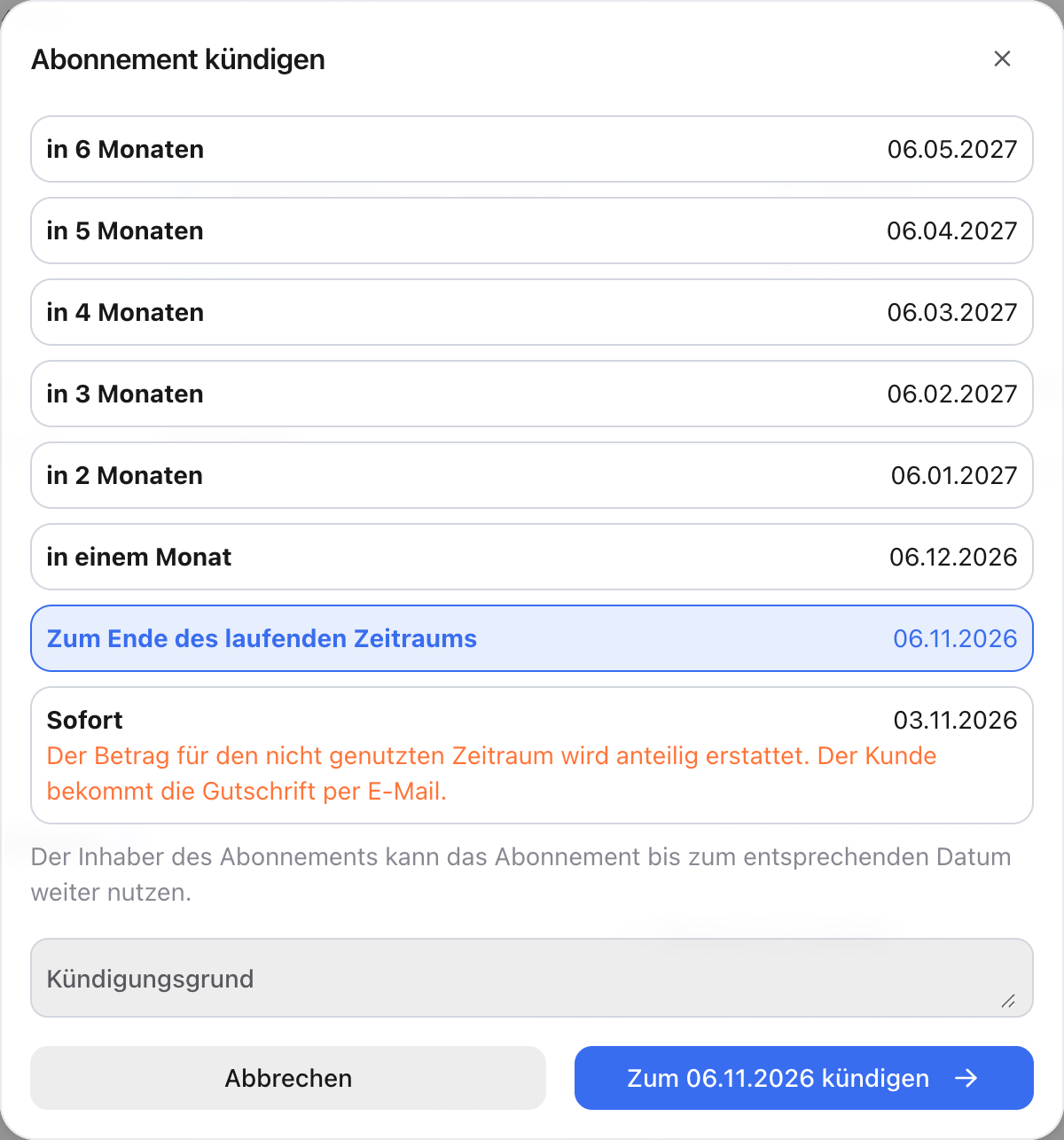
Choose the cancellation date
Each option shows the exact date:
- To end of the current period (preselected)
- To end of the minimum term, if the minimum term ends later
- a later date, one to six periods after the earliest possible cancellation date
- Now: the subscription ends today. The amount for the unused period is refunded pro rata, and the customer receives the credit note by email.
3
Add a reason (optional)
Enter why the subscription ends under Cancellation reason.
4
Confirm
Click Cancel to …. Until that date the person can keep using the subscription. After that it has the status Expired.
Refund on an immediate cancellation
If you cancel a paid subscription before the end of the paid period, anny creates a Draft invoice (credit note) for the unused period. It opens right after the cancellation. Review it and send it with Finalize with refund. Only then is the refund made, and the customer receives the credit note by email. If you closed the window, open the draft again at the top of the subscription detail via Draft invoice.Withdraw a cancellation
You reactivate a canceled subscription that has not expired yet with Resume in the three dots. The subscription then runs as usual. If a switch to another plan was planned together with the cancellation, that planned plan is discarded. If the new plan has already started, the cancellation can no longer be withdrawn.Suspend a subscription
1
Start the suspension
Choose Suspend from the three dots. The Suspend subscription dialog opens.
2
Set the period
Choose the start under Suspend from (leave empty for now) and the end under Suspend until.
3
Save
The subscription now has the status Suspended. The term is extended by the length of the suspension.
Cancellation and withdrawal by customers
Customers cancel themselves under Profile → Subscriptions via the three dots on the subscription with Cancel. They choose the end of the term or a later date and optionally a Reason for cancellation. If the plan has a Withdrawal period that is still running, customers also see Withdraw. The subscription then ends immediately, and the amount for the unused period is refunded pro rata. You set the withdrawal period per plan under General Information.Withdrawal is a customer right and is only available on your booking page. In the admin area, use Now.
What happens when a subscription ends
- Communities unlocked by the plan remove the subscriber and all team members.
- Quotas are no longer renewed. Remaining quotas expire at the end.
- An assigned resource becomes free again.
- Customers receive a cancellation confirmation by email, see Emails and invoices for subscribers.