

How anny bills
On a plan change, the new plan’s price applies to all seats. Without a plan change, seats keep the price that applied at sign-up.
Change a subscription in the admin area
1
Open the dialog
Open Management → Subscriptions, click the subscription and choose Change subscription from the three dots at the top right.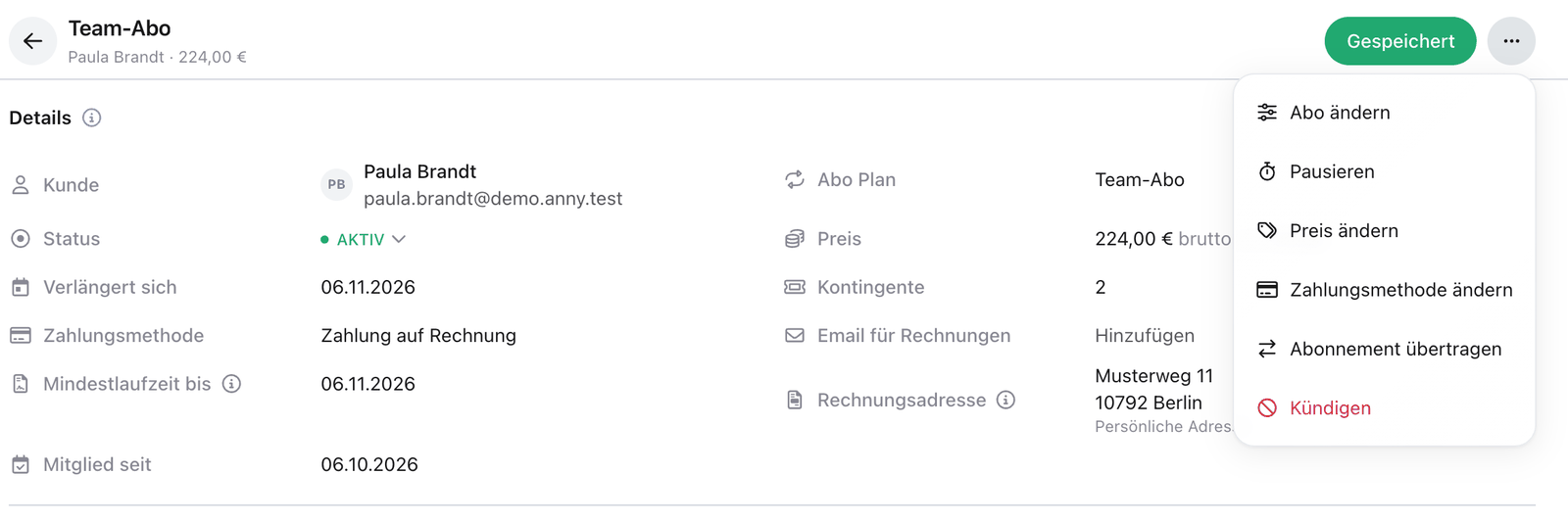
2
Adjust seats
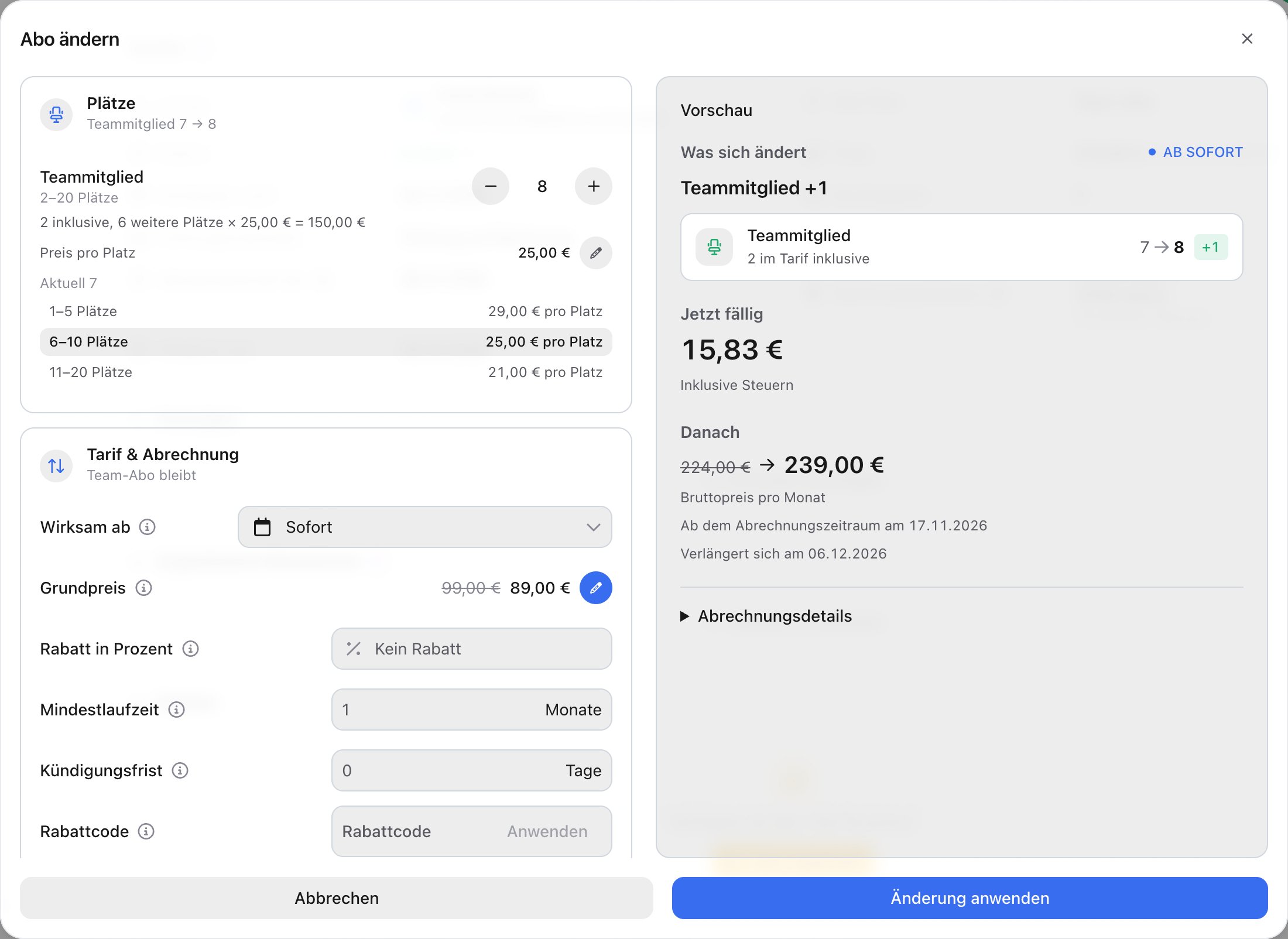
In the Seats area, set the number per benefit. The allowed range, included seats and volume tiers are shown below. If a number is outside the plan’s limits, anny adjusts it. You can’t go below the included seats or below the seats taken: free taken seats in the Members section first.
3
Switch plan (optional)
Under Plan & billing, choose another plan from the same group. If the new plan costs money, Payment and details asks for one of the customer’s payment methods or Pay by invoice and for any details the plan requires.
4
Timing and discount
Under Takes effect, choose Immediately or a later date. A downgrade always takes effect at the end of the paid period. Optionally enter a Percentage discount or redeem a Discount code. A code only works together with a plan change.
5
Check the preview and apply
Under What changes, the Preview lists every change, followed by Due now and, under After that, the new price per period. Billing breakdown lists all charges and credits. Click Apply change or, for a later date, Schedule for ….
What happens after a plan change
- The customer receives an email Your subscription has been changed with the old and new plan, the new price and the date.
- The previous subscription appears as Changed plan in the list. In its details, Changed to links to the new subscription.
- Communities, quotas and seats follow the new plan from the switch onwards. If the new plan has a resource pool, the subscription gets a resource from it.
What customers can change themselves
On your booking page, customers open Profile → Subscriptions and choose on the subscription:- Manage plan: choose another plan in the same group, with seats and start date. An upgrade starts right away or on a later day the customer picks. For a downgrade, the start reads At the end of the period, and the seat picker starts at the seats the subscription has now. If they pick fewer, it says when the other seats end. Below the amounts it says how the change is paid, e.g. Paid with Visa •••• 4242 or payment by invoice. If a payment method is missing, it says No payment method chosen yet. Change or Select leads to the choice under Your details.
- Change seats on team subscriptions: more seats are billed pro rata from today. Fewer seats free the seats without a member first. See Team subscription: invite members and manage seats.
See and discard a scheduled change
Customers see a change set for a later date, e.g. a downgrade at the end of the period, in the shop:- Profile → Subscriptions: the subscription’s card names the change, e.g. Changes to on , or Change scheduled for for seats.
- In the overview of subscription plans on your booking page: the current plan’s card names the switch, and the target plan shows Scheduled from instead of offering it again.
A gift card only pays the first invoice of a new subscription, not a plan change. A discount code also works on a change.
FAQ
Does the customer get a credit note on an upgrade?
Does the customer get a credit note on an upgrade?
The unused rest of the old plan is offset against the billing of the new plan. A plan change does not create a separate credit note.
Why doesn't a downgrade take effect immediately?
Why doesn't a downgrade take effect immediately?
The current period is paid for. That is why the smaller plan only applies at the end of the paid period. Until then, everything stays as it is.
Can I change the price of a single subscription without switching plans?
Can I change the price of a single subscription without switching plans?
Yes, with Edit price in the three dots. The new price applies from the next billing period. See Subscriptions & Memberships.
A canceled subscription cannot be changed
A canceled subscription cannot be changed
Change subscription is only available for running subscriptions. First withdraw the cancellation with Resume. See Cancel, suspend or resume a subscription.