

What you can do with it
- Teams status: Your current booking appears as your status in Teams automatically.
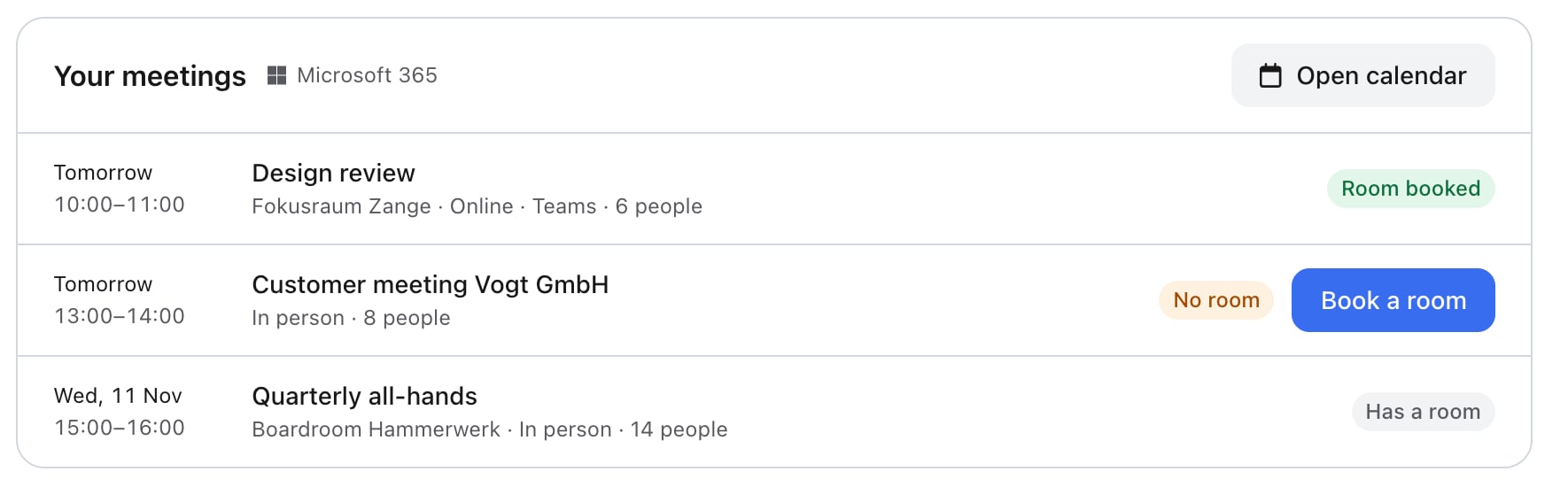
- Meetings on your home screen: See your meetings for the next 7 days and spot which ones still need a room.
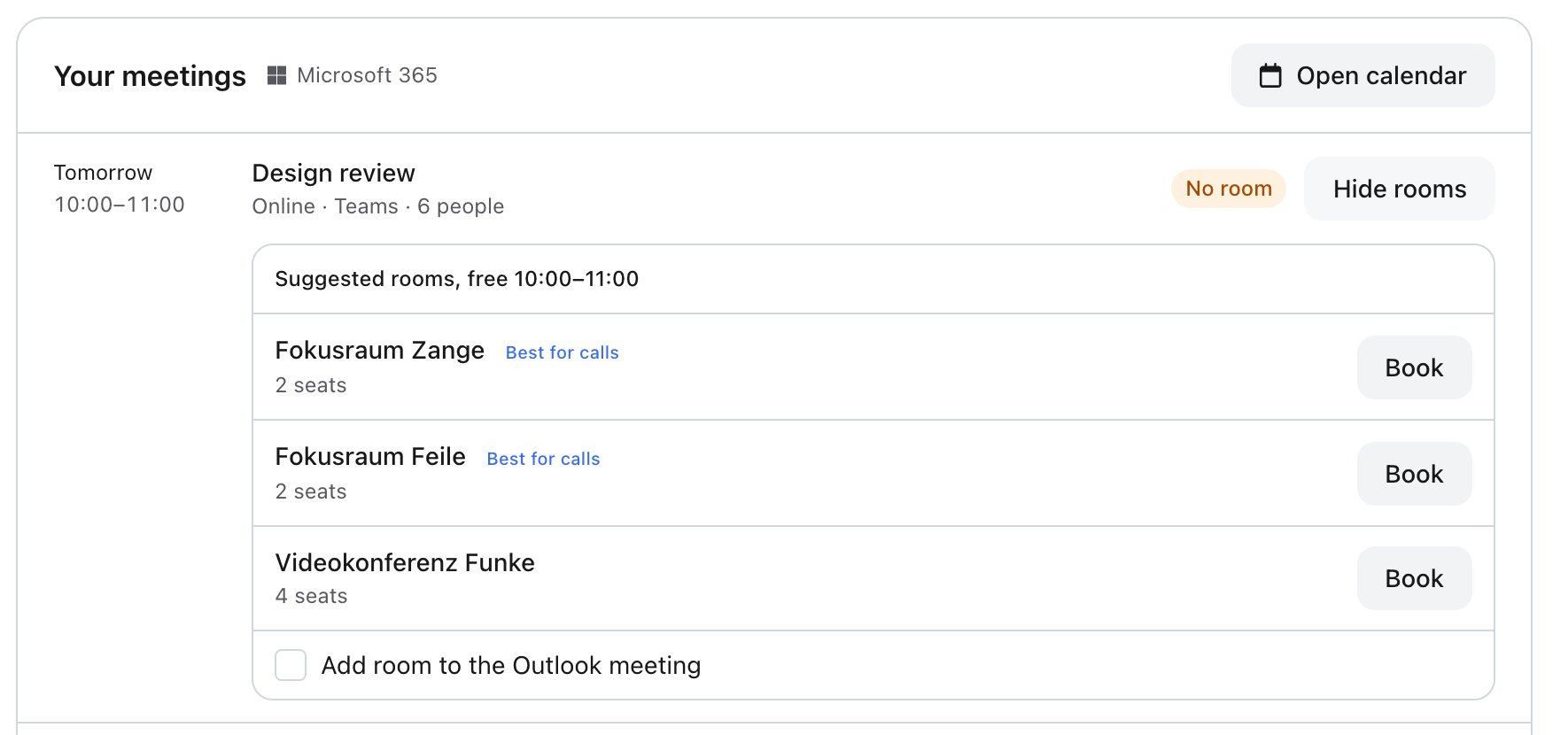
- Book rooms: anny suggests free rooms that fit your meeting.
- Calendar: See your bookings and meetings in one view.
- Teams meeting: Create a Teams meeting while you book a meeting room.
- Profile picture: Use your Microsoft profile picture with one click.
This is your personal connection and only applies to your account. To connect rooms and calendars for a whole organization, use the Microsoft 365 workspace integration.
Requirements
- You have a Microsoft 365 work account.
- You use anny in a browser. The connection isn’t available in the mobile apps.
- For the Teams status and room suggestions, you’re a member of a community in your organization.
Connect Microsoft 365
1
Open your profile
Click the profile icon in the top right and open your Profile.
2
Select Microsoft 365
Under Settings, select Microsoft 365.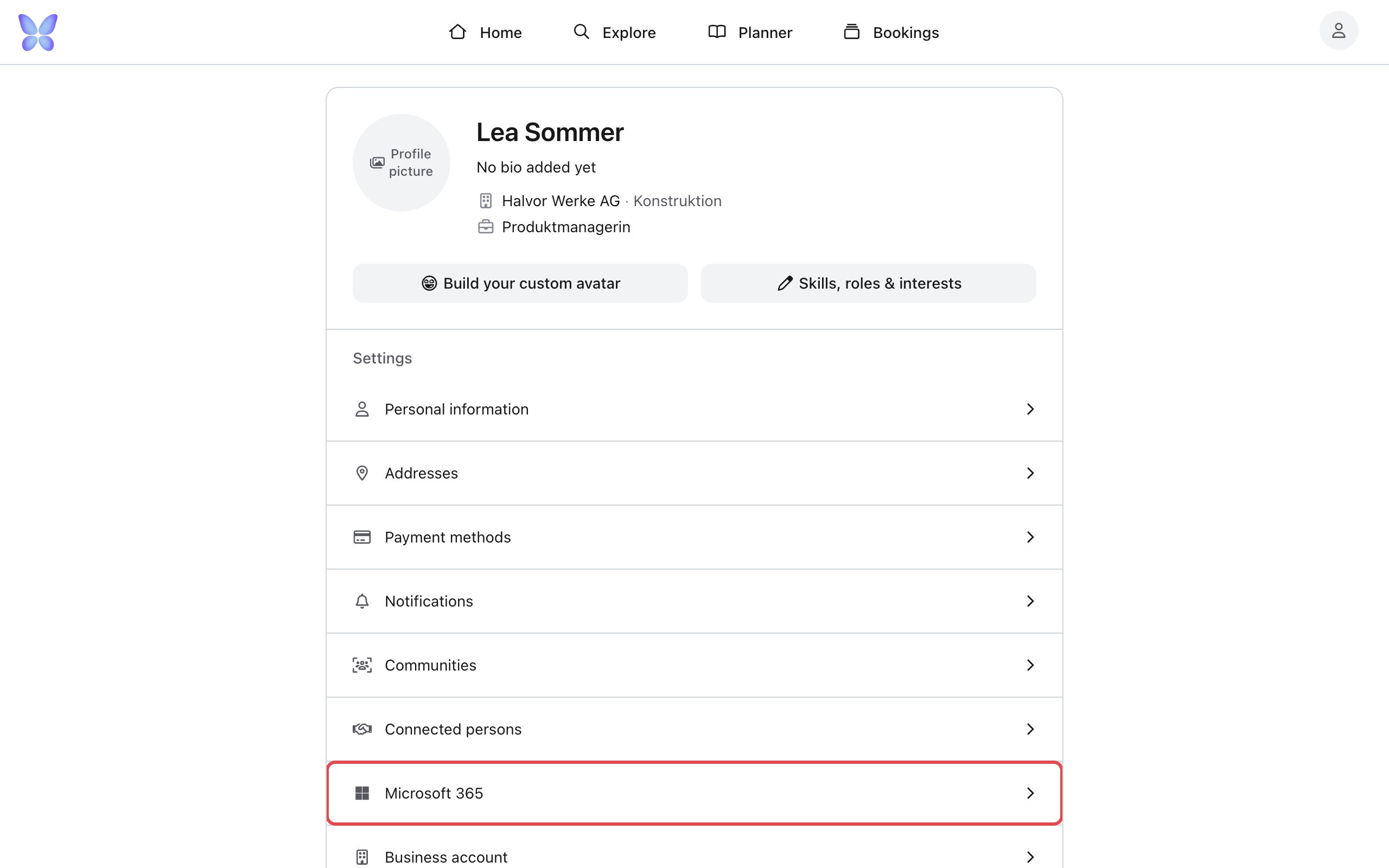
3
Start the connection
Click Connect Microsoft account.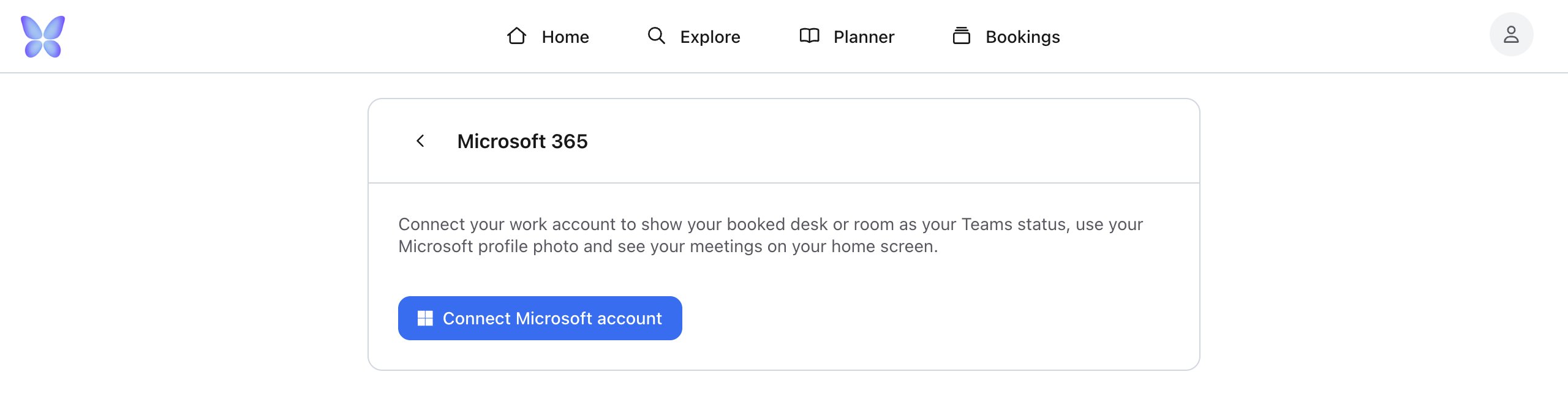
4
Sign in to Microsoft
In the new window, sign in with your work account and accept the permissions.
5
Check your work organization
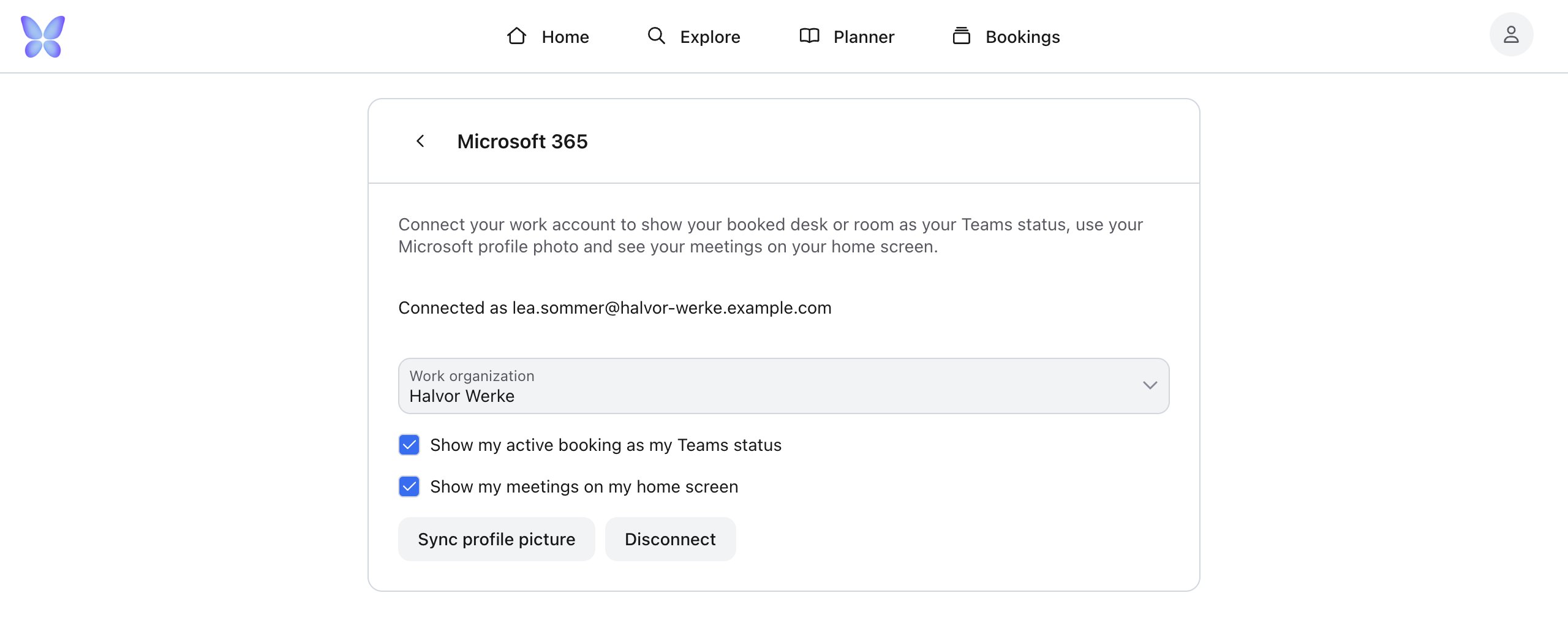
Check that the correct Work organization is selected.
Your settings
- Work organization: The organization whose bookings set your Teams status and whose rooms are suggested.
- Show my active booking as my Teams status: Turns the Teams status on or off.
- Show my meetings on my home screen: Shows or hides your meetings.
- Sync profile picture: Copies your current Microsoft profile picture once. You can upload your own picture again at any time.
How the Teams status works
When a confirmed booking in your work organization starts, anny sets your Teams status, for example 📍 Desk 3.01 · Open Space Floor 3. It also sets your work location to the office.- If several bookings run at the same time, the shortest one counts. A meeting room takes priority over a desk you booked for the whole day.
- The status expires automatically when the booking ends.
Meetings and matching rooms
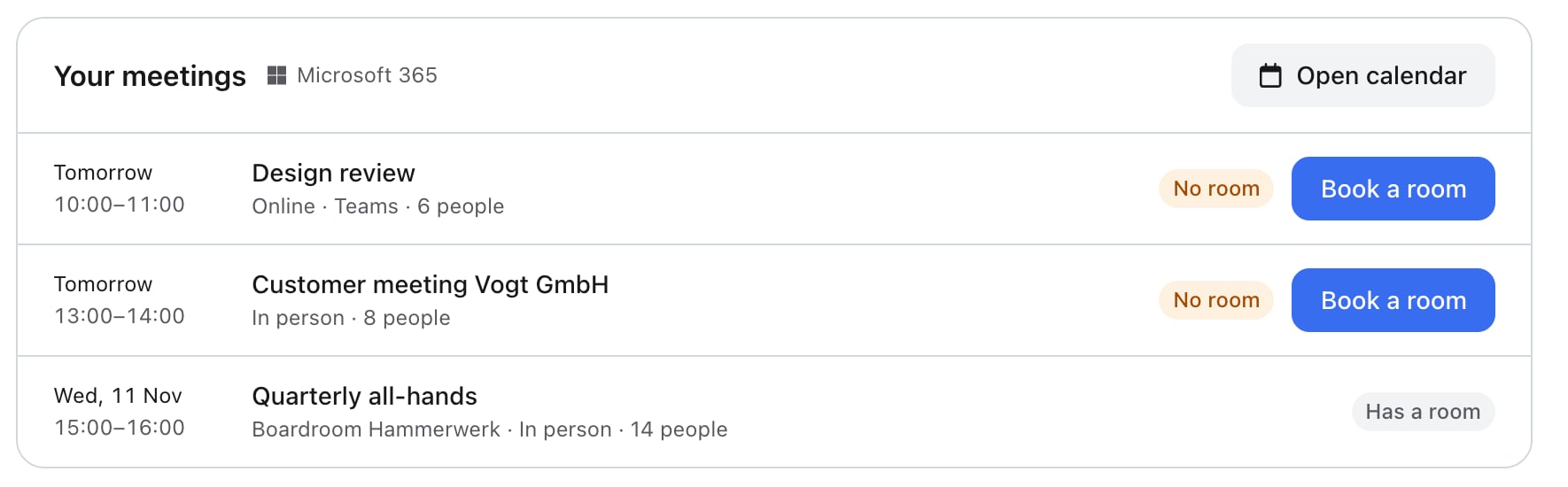
Your home screen shows your meetings for the next 7 days. Changes made in Outlook can take up to 5 minutes to appear. Each meeting has a label:- No room: No room has been booked yet.
- Room booked: The meeting is linked to an anny booking, whether it was made in anny, the Outlook add-in or by email.
- Has a room: A room is already set in Outlook.
- Online meetings: Small rooms come first. Rooms with up to 2 seats are marked Best for calls.
- In-person meetings: You see the smallest rooms that fit everyone.
Bookings and meetings in the calendar
Click Open calendar on your home screen, or switch to the calendar view under Bookings. Your meetings appear in gray next to your bookings.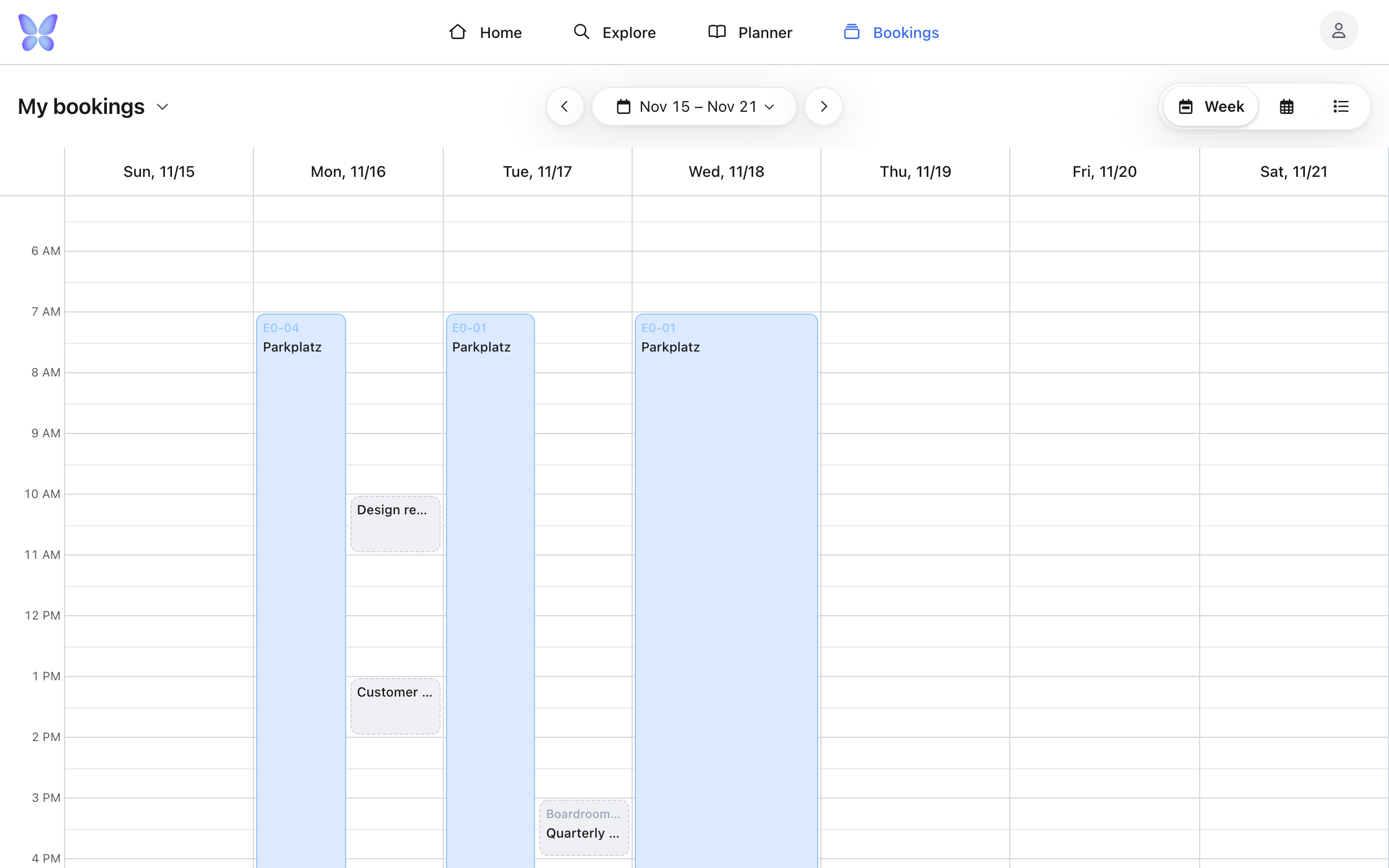
Create a Teams meeting while booking
When you book a meeting room, you can select Create a Teams meeting. You’ll find this option at checkout and in the planner’s add-ons step.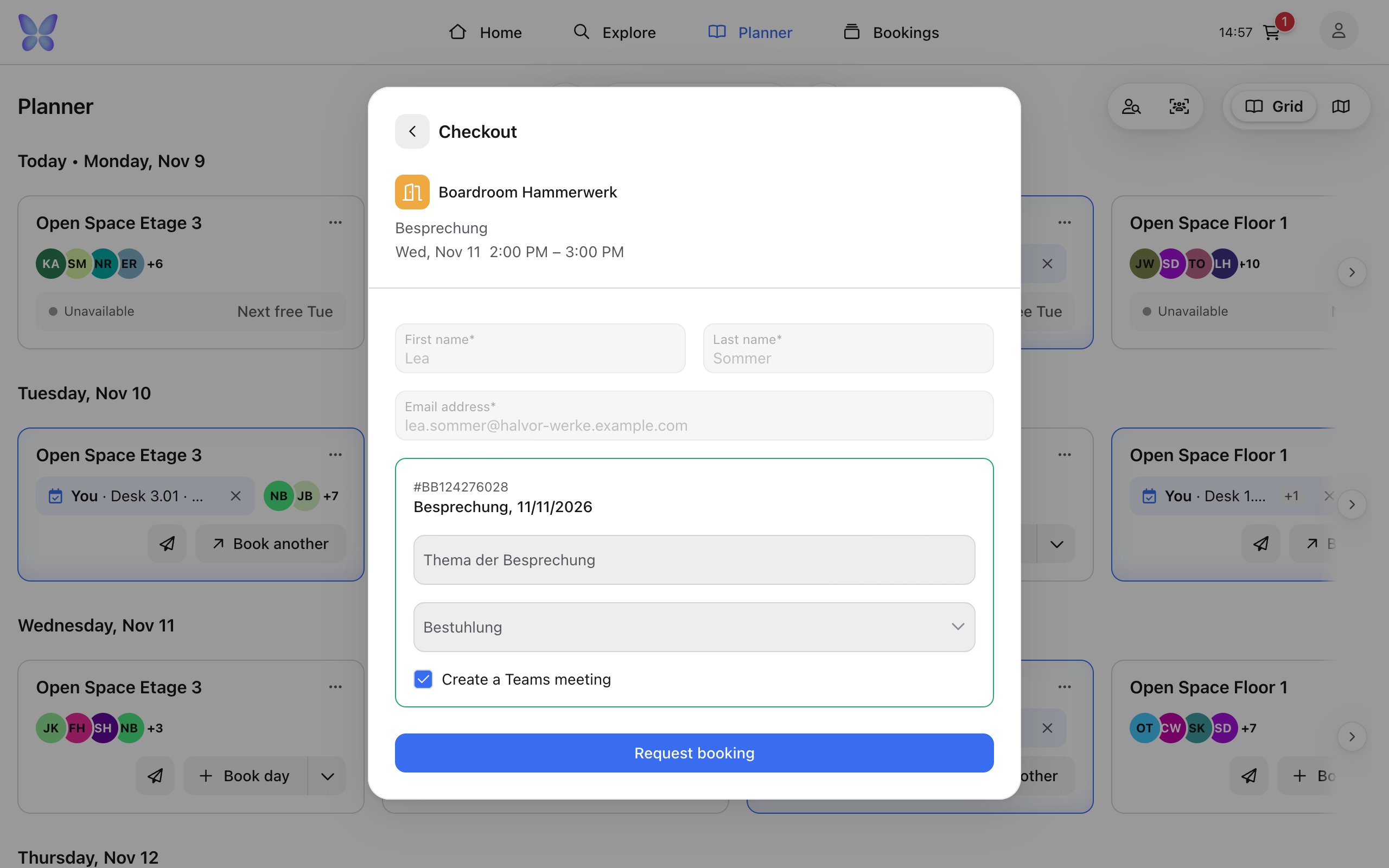
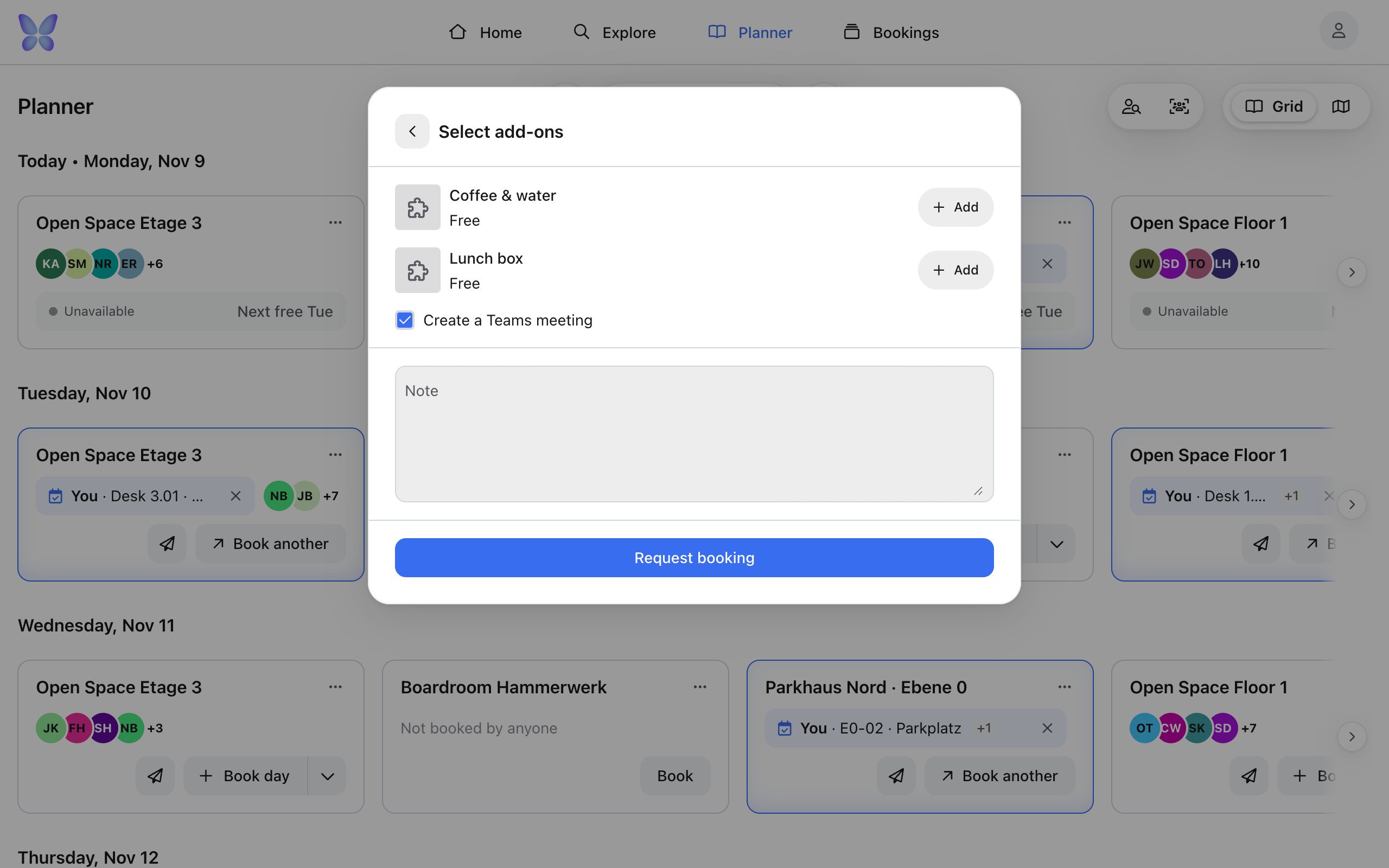
- The first time, Microsoft asks for permission to write to your calendar. If you decline, the option stays off.
- The meeting appears in Outlook once you complete the booking.
- If you reschedule the booking, the meeting moves with it. If you cancel the booking, the meeting is removed.
- This only applies to meetings anny created. If you only linked an existing Outlook meeting to a room, anny doesn’t change it when you cancel.
Disconnect
Under Microsoft 365, click Disconnect. anny permanently deletes the connection and its stored credentials. Teams meetings that were already created stay in Outlook.Permissions and privacy
anny requests these Microsoft permissions when you sign in:
In the booking details, your organization only sees that a booking is linked to Microsoft 365. The join link and your Microsoft account aren’t shown there.
Troubleshooting
"Your browser blocked the sign-in window"
"Your browser blocked the sign-in window"
Allow pop-ups for anny and try again.
"Your Microsoft connection has expired"
"Your Microsoft connection has expired"
Under Microsoft 365, click Connect Microsoft account again. You may need to do this if your password changed or access was revoked.
Microsoft asks for administrator approval
Microsoft asks for administrator approval
Depending on your company’s settings, your IT team may need to approve the permissions once. Share the list above with them.
"Your Microsoft account has no profile picture"
"Your Microsoft account has no profile picture"
Add a picture in Microsoft 365 first, then click Sync profile picture again.
"No rooms are free at this time"
"No rooms are free at this time"
No suitable room is available in your work organization at that time. Check that the correct work organization is selected, or move the meeting.